Connected cameras and access control: how to keep physical security from opening a door into your network
Cameras with factory passwords, open ports and systems that do not talk to each other. This is how we design physical security and the network together: segments, firewall, VPN and integrated events.
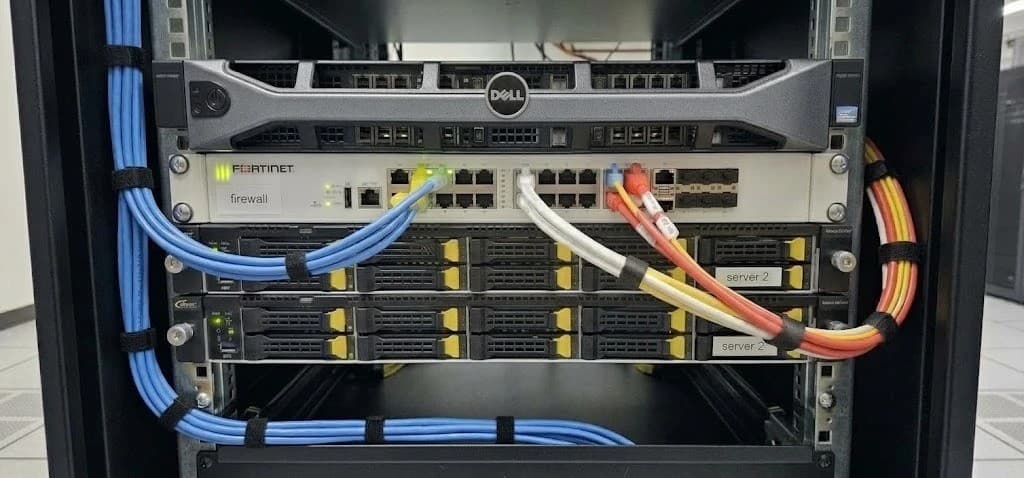
An IP camera is, at heart, a small computer connected to your network: it has an operating system, a web server, users and passwords. The same goes for a video recorder or an access controller. When they are installed like home appliances, plugged in and forgotten, they become the least protected part of the network.
The result is a paradox: the system you bought to protect your premises ends up opening a door to your computers, your servers and your data. Avoiding it does not take exotic equipment; it takes designing physical security and the network at the same time, with the same criteria.
What we often find
Factory passwords
Cameras and recorders with the username and password they shipped with, sometimes exposed to the internet so they can be viewed from a phone.
Cameras on the computer network
Everything on the same network: if one device is compromised, everything else can be reached from it.
Ports open to the outside
A router rule that forwards a port to the camera or the recorder. Specialized search engines crawl the internet listing devices like these.
Devices that are never updated
The firmware is the same as on installation day, with known security flaws the manufacturer has already fixed.
Systems that do not talk to each other
A door is forced and nobody knows which camera to check. Rebuilding what happened means cross-checking two systems by hand.
One supplier for each thing
One installed the network, another the cameras and another the access control. When something fails, each checks their own part and nobody sees the whole picture.
How a camera becomes the way in
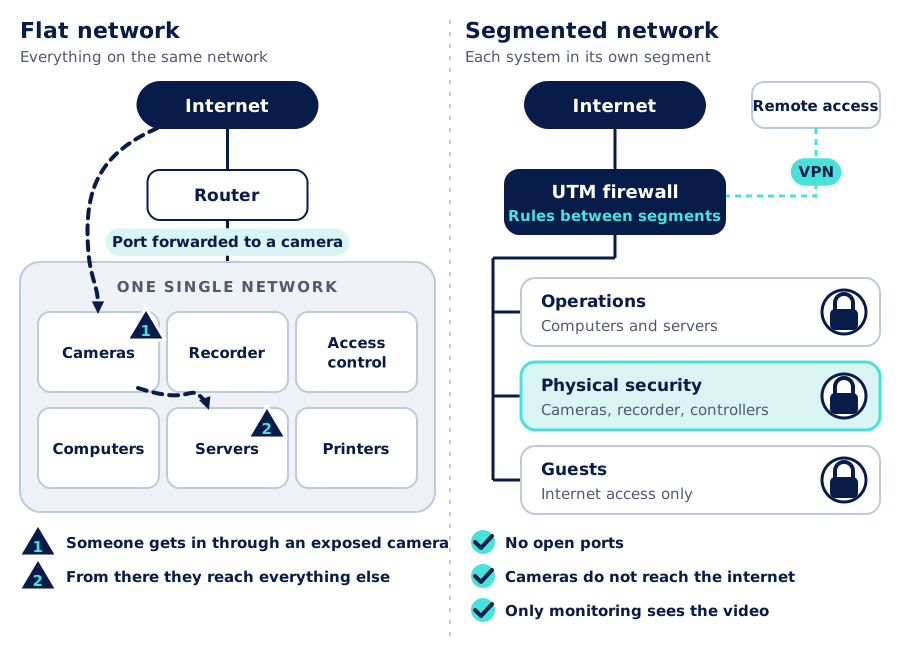
In a flat network, every device can see every other device. If a camera is exposed to the internet with a weak password or vulnerable firmware, whoever takes it over does not just see the video: they are inside the network, next to the computers and servers. This is not theoretical: networks of infected devices, such as the well-known Mirai botnet, were built precisely from cameras and recorders that still had their factory passwords.
Segmentation: every system in its place
The first line of defense is separation. Cameras, the recorder and access controllers live in their own segment (a VLAN), and a firewall decides what may cross from one segment to another. We explain it in detail in a well-segmented network. Applied to physical security, the usual rules are:
- Cameras only talk to the recorder. They do not need to see the computers or reach the internet.
- Only the monitoring station sees the video. From the office network, only authorized users and devices reach the video platform.
- Administration from a single place. Cameras, recorders and controllers are configured from the management network, not from just any workstation.
- Basic services under control. Time (NTP) and updates from defined servers, so logs line up and devices do not depend on the internet.
The firewall needs sizing too
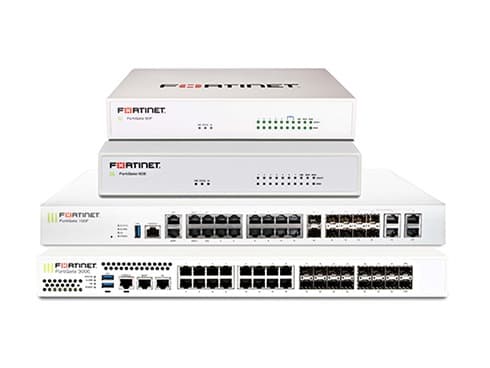
A UTM firewall, such as Fortinet FortiGate, enforces the rules between segments and also inspects the traffic: intrusion prevention, application control and filtering. It pays to design so that camera video headed to the recorder does not cross the firewall: dozens of cameras recording all day add up to a lot of traffic. Only the sessions of the people who watch and manage the system go through the firewall.
Remote access without open ports
Viewing cameras from a phone or letting a technician check the recorder is reasonable. Doing it by opening a port on the router is not. The alternative is a VPN: whoever needs access first connects to the firewall, with their own user and, where possible, two-factor authentication, and only then reaches the devices their profile allows.
If a manufacturer's cloud platform is used, the decision is made consciously: named accounts, two-factor authentication and clarity about which data leaves the network.
Best practices we leave in place
Unique, strong passwords
No factory passwords, a different one per device, stored in a password manager rather than a spreadsheet.
Up-to-date firmware
Manufacturer updates applied in a planned way, with an inventory of which version each device runs.
No open ports
Nothing on the physical security network exposed directly to the internet.
Remote access over VPN
With named users and two-factor authentication when the system supports it.
Unneeded services turned off
Features that are not used, such as discovery or cloud access services, disabled on every device.
Named users and logs
Each person with their own user and permissions, so you know who viewed, exported or changed something.
If you want to understand what makes a password strong, the Practical Security: Passwords, Hashes & Tokens article on AISCNET Learning explains it with numbers.
When systems talk to each other
The other half of integration is functional. When access control, cameras and alarms share a platform or are integrated with one another, an event stops being an isolated data point and becomes a response.
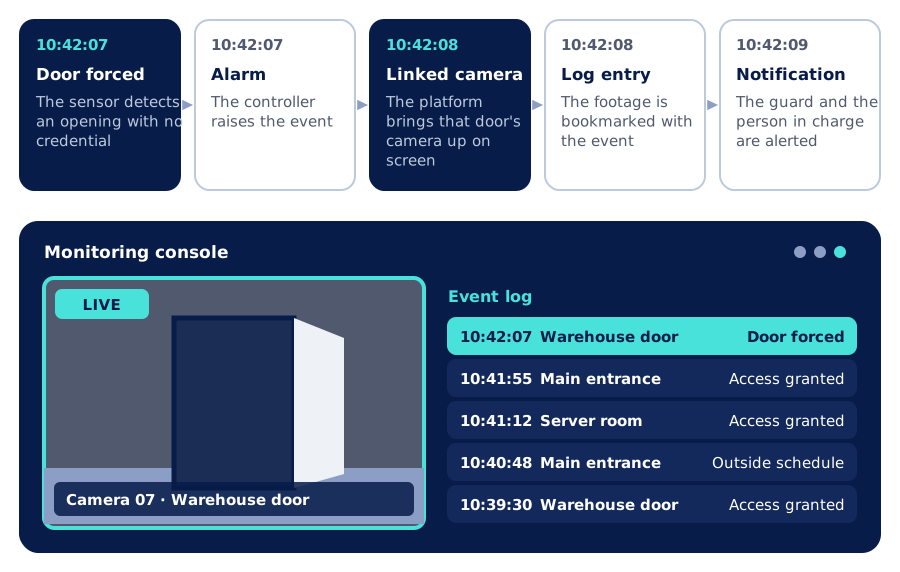
How it is achieved depends on the equipment: sometimes a single platform handles both video and access, and sometimes they are connected through integrations offered by the manufacturers. We work with Hikvision for video and, for access control, with generic solutions and brands such as ZKTeco, Hikvision and Ubiquiti, among others. The integration is defined at the design stage. We explain how each part is designed in How to design a CCTV system that works when you need it and in Access control for businesses.
One supplier per system or an integrated design
| One supplier per system | Physical security and network designed together | |
|---|---|---|
| Camera network | The same as the computers | Its own segment with defined rules |
| Remote access | Open ports on the router | VPN with named users |
| Events | Each system on its own | A forced door brings up its camera |
| Updates | Whenever someone remembers | A plan and a version inventory |
| When something fails | Each one checks their own part | One party that sees the whole picture |
| Documentation | Scattered or missing | Drawings, segments, rules and users handed over |
General comparison between two ways of approaching a project; it does not refer to any specific installation.
Our process
- 1
Assessment
An inventory of cameras, recorders and controllers: where they are connected, which firmware they run, which ports are exposed and how remote access works.
- 2
Joint design
Segments, firewall rules, remote access and integration between video, access control and alarms, in a single design.
- 3
Phased implementation
We move devices to their segment in an orderly way, coordinated with operations, without leaving the site without cameras.
- 4
Hardening and testing
Passwords, firmware and services reviewed device by device; we test the rules and the event integration.
- 5
Documentation
Network diagram, segments, rules, users and device layout.
- 6
Support
Ongoing support and, if you need it, a managed service with monitoring.
Further reading
On AISCNET Learning, our training platform:
- Practical Security: Passwords, Hashes & Tokens: explained with numbers.
- Inside the Switch: MAC, VLANs & STP: how a VLAN keeps traffic apart.
- VLAN decoder: how an 802.1Q tag is built.
- Firewall sizing: packets per second, sessions and memory.
On our blog:
- A well-segmented network: operations, guests, cameras and IoT.
- How to design a CCTV system that works when you need it: DORI criteria, retention and storage.
- Access control for businesses: biometrics, cards and a record of every entry.
- What a managed service with an SLA includes: monitoring and support with service levels.
Tell us what you need through our contact form or learn more about our security service.
- Seguridad física
- Ciberseguridad
- Segmentación de red
- Firewall UTM
- VPN
- Fortinet
- Hikvision
- ZKTeco
- Ubiquiti