How to design a CCTV system that works when you need it: DORI criteria, retention and storage
Cameras that record but cannot recognize anyone, and recorders that erase the footage you needed. This is how we design CCTV around goals: a DORI level per area, retention days and calculated storage.
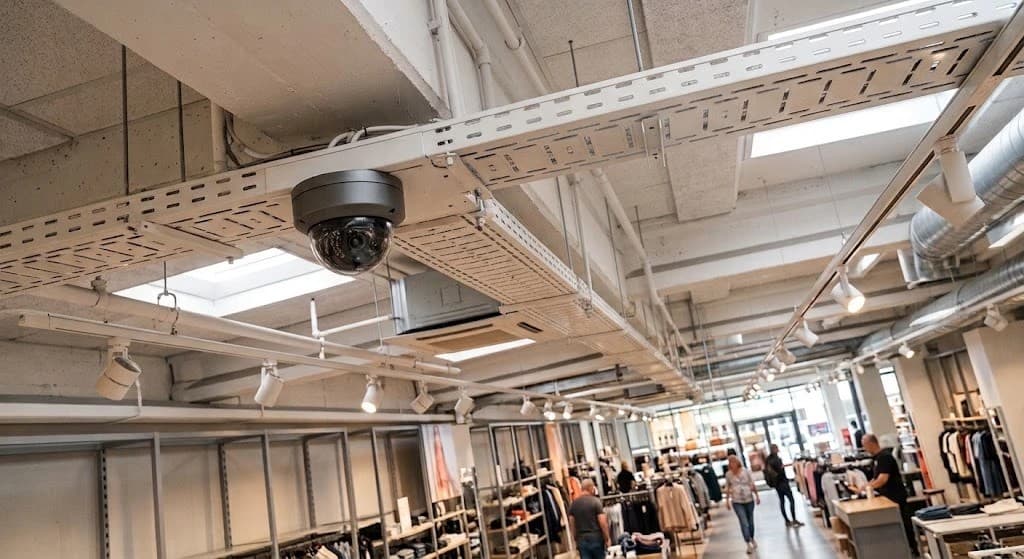
Something happens on a Friday afternoon: stock goes missing, someone forces a door or there is an incident in the parking lot. On Monday the footage is reviewed and one of two surprises shows up. The camera recorded, but the image shows a dark, backlit silhouette nobody can recognize. Or the recorder no longer has that day: it filled up and erased the oldest video.
In both cases the system was working: the cameras were on and the recorder was recording. What was missing was design. A useful CCTV system is defined before buying the first camera, by answering three questions: what each camera has to show, how many days must be kept and how much storage that takes.
What we find when we are called after an incident
It records, but nobody can be recognized
A wide-angle camera covers the whole yard, but ten meters away a face takes up only a few pixels. It tells you someone walked by, not who it was.
The recorder fills up in five days
Nobody calculated how much the footage takes. The drive fills up, the recorder overwrites the oldest video and the clip you needed is gone.
Backlight at the entrances
The camera faces a glass door with the sun behind it. Whoever walks in shows up as a shadow, exactly where seeing their face matters most.
Cameras without a goal
They were installed where the cable was easy to run, not where there was something to see. Some cameras watch walls while critical areas are not covered at all.
Footage nobody checks
The system is only looked at when something happens. That is when you find out a camera had no video for weeks or a drive had failed.
Hours of video to find one minute
Without events or useful timestamps, finding an incident means scrolling through days of footage by hand.
Start with the goal: what each camera has to show
The IEC 62676-4 standard, which guides the design of video surveillance systems, measures image quality in pixels per meter on the target: how many image pixels fall on each meter of the scene, at the distance where the person or vehicle you care about is. With that measure it defines four levels, known as DORI: detect, observe, recognize and identify.
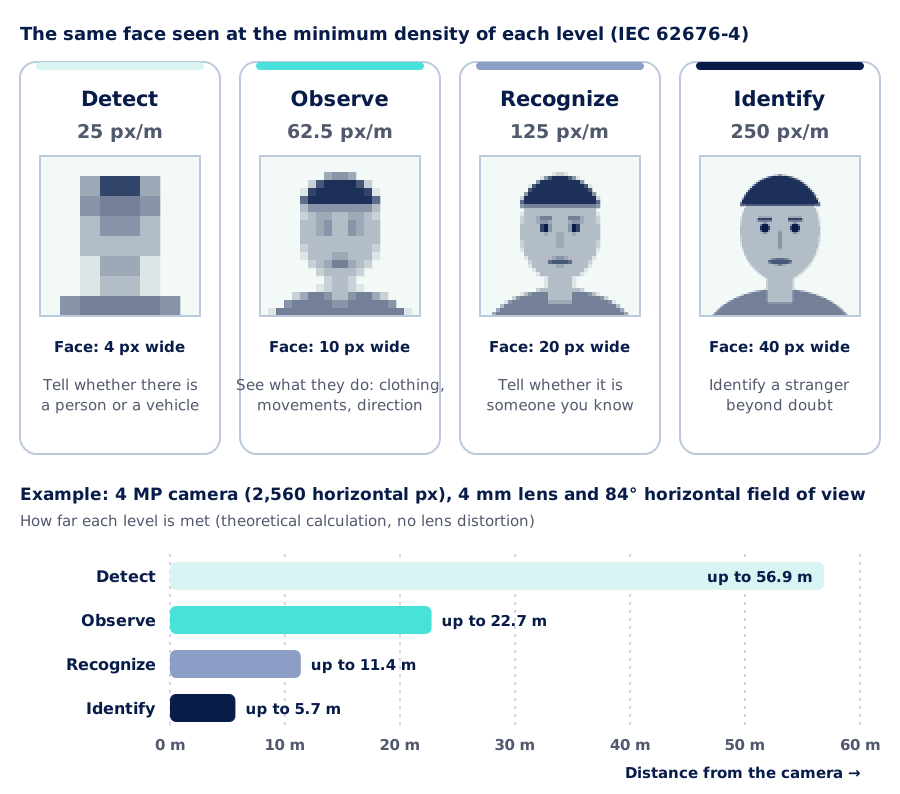
The gap between levels is large. Detecting that someone is there takes 25 pixels per meter; identifying a stranger takes 250, ten times more in each direction. The practical consequence is at the bottom of the diagram: the same camera that detects at almost 57 meters only identifies up to about 6. Asking for "high-resolution cameras" is not enough; you need to state which level is required and at what distance.
When the target is far away there are two options: more resolution, or a narrower lens that brings the scene closer at the cost of a narrower field of view. That is why a single camera rarely meets every goal: the usual approach combines overview cameras with detail cameras. You can try different combinations with the lens and field of view calculator on AISCNET Learning.
| Area | Goal | DORI level | Typical camera |
|---|---|---|---|
| Main entrance | Identify whoever comes in or out | Identify · 250 px/m | Fixed or varifocal with WDR, tight framing on the door |
| Till or service counter | Recognize the person and see the transaction | Recognize · 125 px/m or more | High-resolution dome above the counter |
| Parking lot | See people and vehicles moving | Observe · 62.5 px/m | Bullet or dome with infrared; a dedicated camera to read license plates |
| Perimeter | Detect someone approaching or crossing | Detect · 25 px/m | Long-range infrared bullet with line-crossing analytics |
| Hallways and common areas | Follow a person's path | Observe · 62.5 px/m | Wide-angle dome |
Guidance example: the level for each area is agreed with whoever runs the site. Minimum densities per IEC 62676-4.
An entrance done right
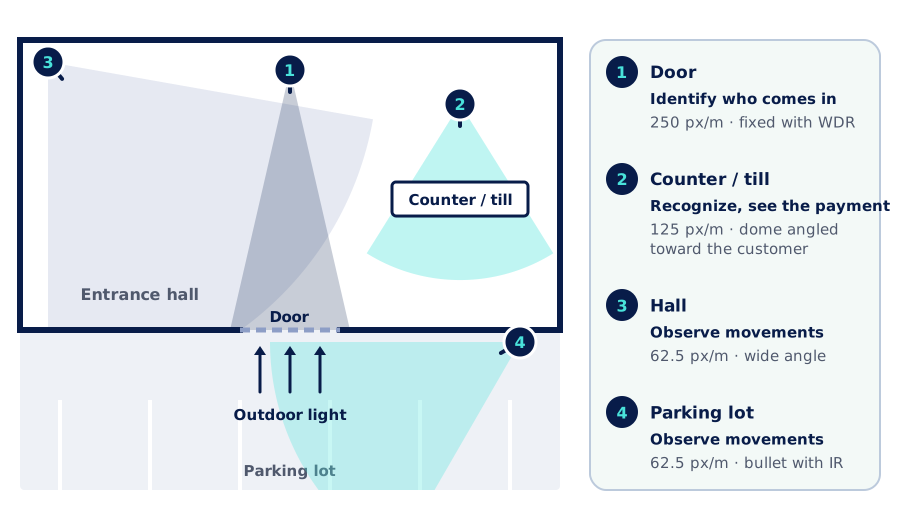
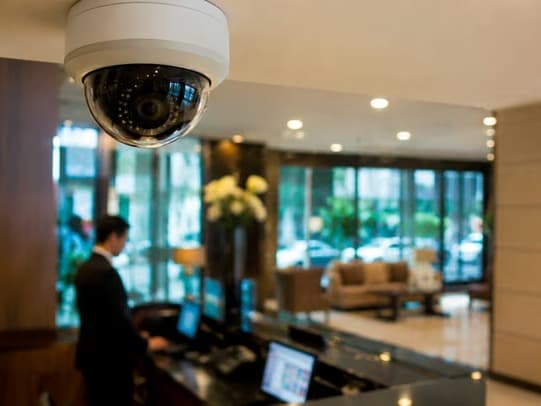
The entrance is where the system is pushed hardest and where we see the most failures. The example floor plan has four cameras and each one has a different job: none of them tries to do everything.
Backlight is solved at the design stage
A camera facing a glass door gets much more light from outside than from inside. Three decisions keep the face from turning into a shadow: a camera with true WDR (wide dynamic range), tight framing on the door and a moderate mounting height, because a camera mounted too high only sees foreheads and caps. And something often forgotten: checking the framing by day and by night, with a real person standing where they need to be identified.
Retention: how many days you need to keep
Each organization sets its retention period based on its operation, its internal policies and the regulations that apply to it. One simple question helps: in the worst case, how long does it take between something happening and someone noticing? If a shortage shows up in the monthly inventory count, 15 days of retention will not be enough.
What gets recorded also matters. Continuous recording keeps everything and uses more space. Recording on motion or events saves disk, but requires well-tuned detection: a shadow or a curtain moves the image, while a person standing still may not. Many projects combine both: continuous at entrances and tills, event-based in low-traffic areas.
Storage: the math that prevents surprises
The space needed comes from a multiplication: number of cameras times the bitrate of each one, times the hours they record per day, times the days of retention. The example shows why a recorder "fills up" in less than a week.
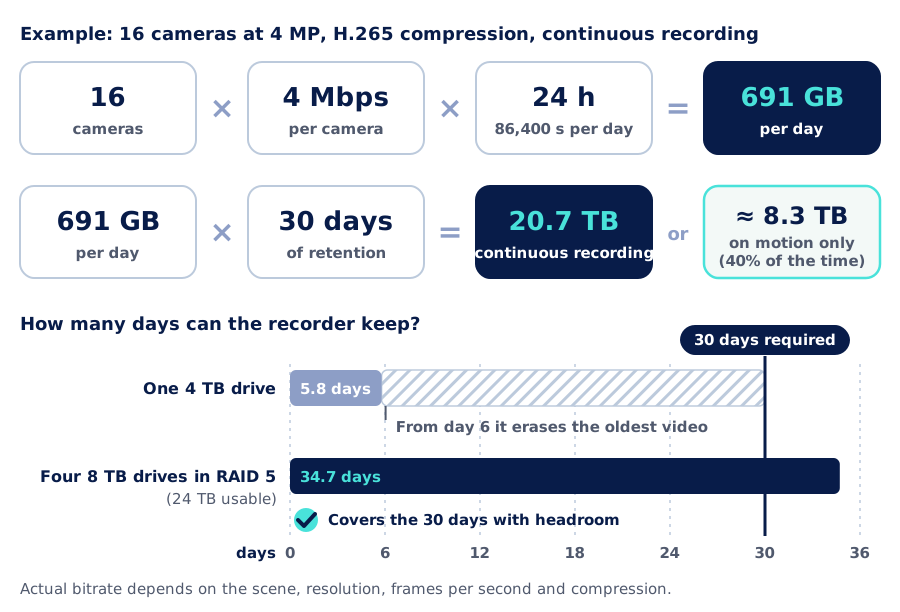
A few decisions change the result a lot:
- Compression. H.265 generally needs much less bitrate than H.264 for similar quality, often close to half. Manufacturers' smart codecs, such as Hikvision H.265+, reduce it further in scenes with little movement.
- Frames per second. For most security scenes 12 to 15 frames per second are enough. Recording at 30 almost doubles the space without adding much detail.
- Drives. Use drives designed for video surveillance, which write continuously around the clock, and a redundant array (RAID) so a single drive failure does not take the footage with it.
- Headroom. The math is done with the real bitrate of each scene, measured at commissioning, and with room for the cameras that will be added later.
The recorder is part of the network too
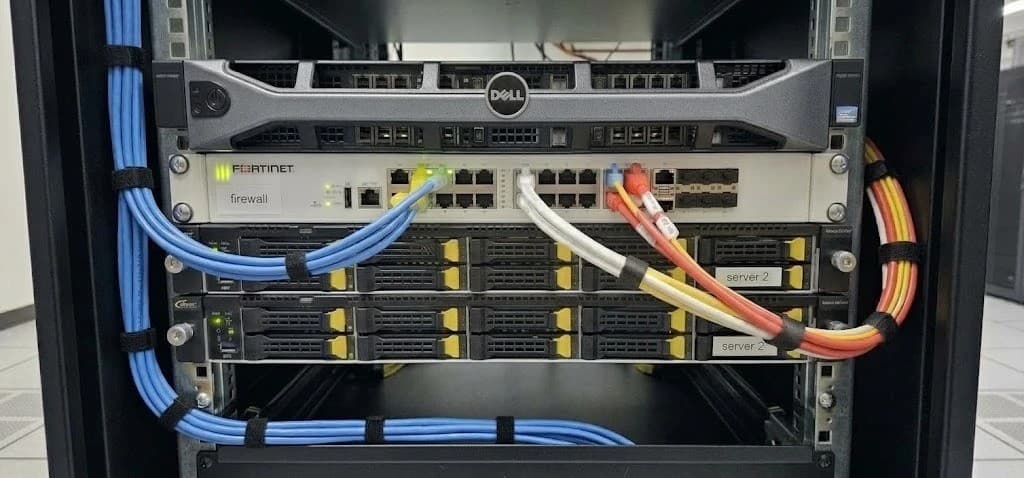
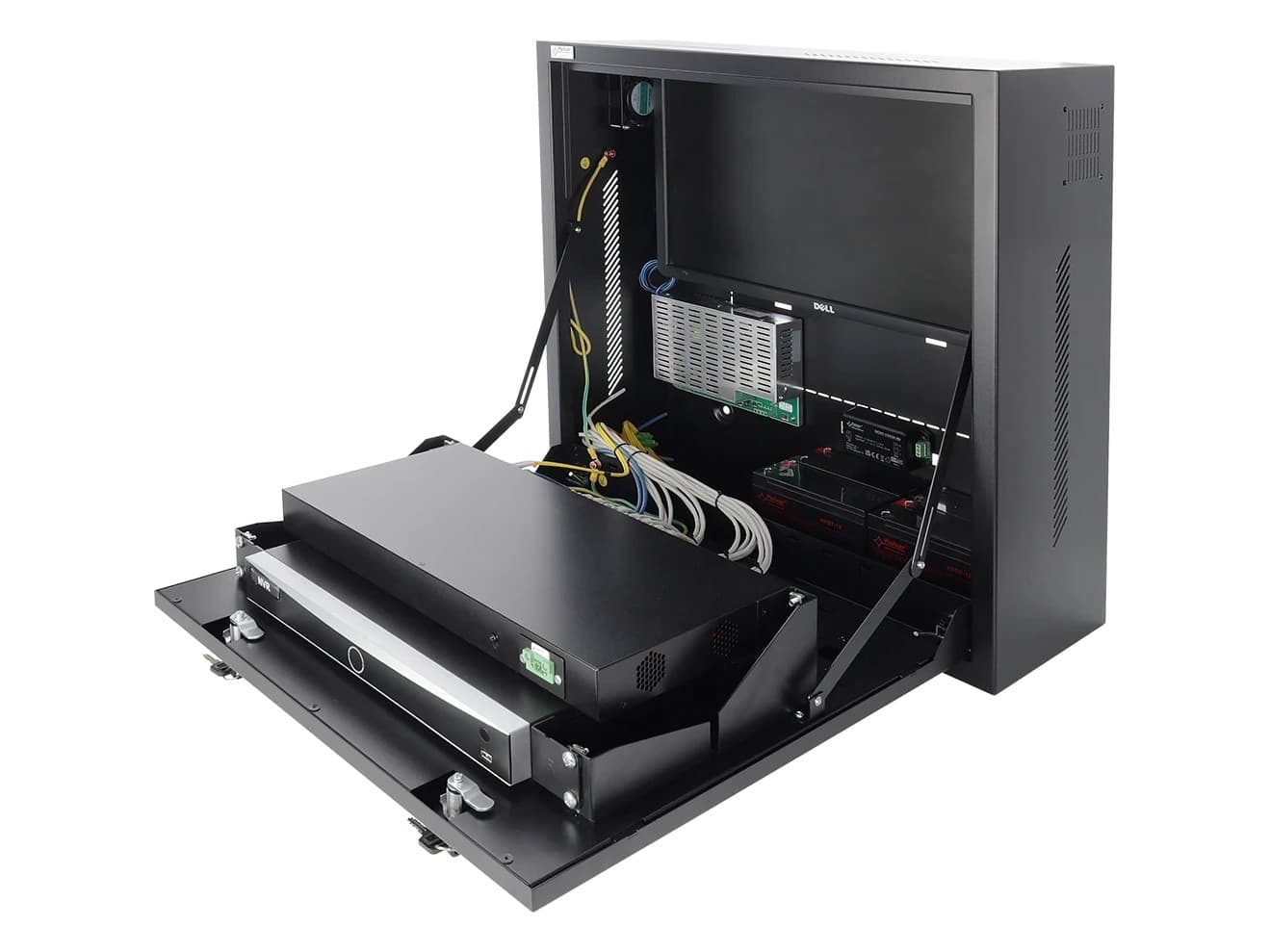
Every IP camera sends its video over the network to the recorder (NVR). A 16-camera system at 4 Mbps moves 64 Mbps around the clock, plus whatever live viewing and playback consume. That is why we design CCTV together with the network: PoE switches with enough power for every camera, the recorder in a rack with backup power and video traffic kept apart from the rest of the network.
Someone needs to know it is recording
A CCTV system is not finished on handover day. Failed drives, cameras that lose video because of a cut cable, or a badly configured clock are discovered too late if nobody is watching. What should be in place:
System health alerts
An alert when a drive fails, a camera loses video or the recorder stops recording. Platforms such as Hikvision's include it; with other brands the principle is the same.
Events instead of hours of video
Analytics such as line crossing or intrusion flag the moments that matter, so searches go by event instead of scrolling through days of footage.
Synchronized time
Every camera and the recorder on the same clock. A few minutes of difference makes it harder to rebuild what happened and weakens the value of the record.
Who views and who exports
Images of people are personal data. Define access profiles, who can export video and how footage is handed over when it is requested.
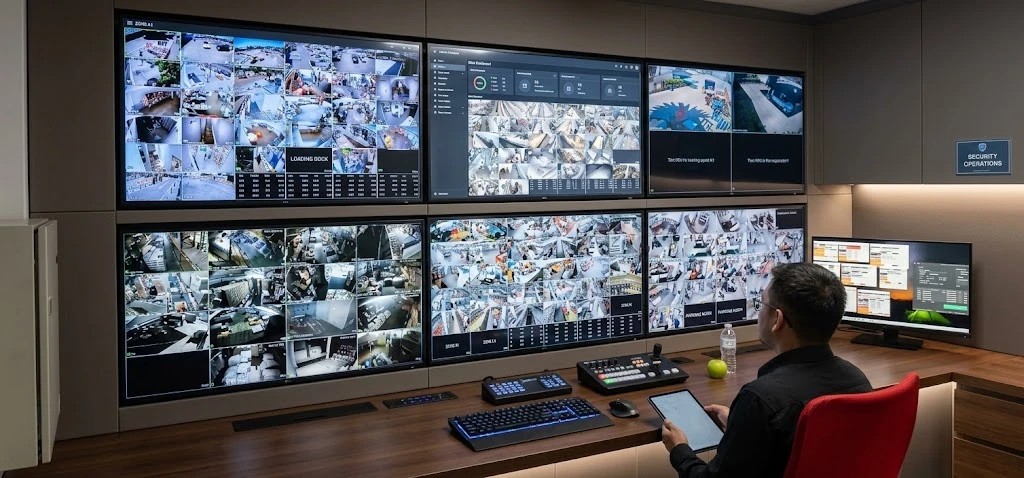
If we operate your network (network as a service or managed services), the CCTV system is integrated into our management system, from where we monitor its status and provide support.
How we design a CCTV system
- 1
Assessment and survey
We walk the site with you: what needs to be seen in each area, distances, daytime and nighttime light, backlit spots and what is already installed.
- 2
Goal-based design
Each camera with its goal and DORI level, the lens and position that meet it, the storage calculation for the agreed retention and the PoE network that powers it.
- 3
Phased implementation
We install in coordination with operations, so the site keeps running while we work.
- 4
Commissioning and tuning
We adjust framing by day and by night, measure the real bitrate and check that the recorder meets the retention days.
- 5
Documentation
Camera layout, a sheet for each camera with its goal, recorder configuration and users.
- 6
Support
System health checks and help when you need to find or export footage.
We are vendor-agnostic integrators: we work with Hikvision and other brands, and choose the equipment for each project, integrating it with what you already have when it makes sense. For public facilities, this design also makes it possible to write tender specifications with verifiable requirements: a DORI level per area and days of retention, instead of "high-resolution cameras".
What you get with a designed CCTV system
Usable images
Every critical area covered at the level of detail it needs, by day and by night.
Verified retention
The agreed days, checked against the real bitrate and not the one on the datasheet.
A system that warns you
Drive and camera failures caught before the footage is needed.
Further reading
AISCNET Learning, our training platform, has free articles and calculators on the subject:
- CCTV Sized Right: lens and resolution with DORI criteria, recorder storage and server sizing.
- Pro Video: HDMI, HDBaseT & Video Walls: for the monitoring room.
- PoE Without Surprises: how to power cameras over the network cable.
- CCTV storage calculator: terabytes and bandwidth by resolution, codec and retention.
- Lens and field of view calculator: pixels per meter and DORI zones by lens, sensor and distance.
- CCTV project: bandwidth and storage for a project with cameras of different profiles.
- VMS / NVR server: sizes the recording server.
- PoE budget: whether the switch can handle the load of every camera.
And on our blog:
- Connected cameras and access control: how to keep physical security from opening a door into your network.
- Access control for businesses: biometrics, cards and a record of every entry.
- Low-voltage systems for a store fit-out: network, CCTV, access control, intrusion and PA in a single project.
- Project design for tenders: precise, verifiable technical specifications.
Tell us what you need through our contact form or learn more about our security service.
- CCTV
- Videovigilancia
- Criterio DORI
- IEC 62676-4
- Almacenamiento de video
- Retención de grabaciones
- H.265
- Hikvision