Access control for businesses: biometrics, cards and a record of every entry
Copied keys, former employees who still get in and no record when something goes missing. This is how we design access control by area and schedule, integrated with cameras and alarms.
How many copies of the warehouse key are out there? In many companies nobody knows for sure. Copies were made for a shift, for a contractor, for someone who no longer works there. And when something goes missing, there is no way to know who went in or when.
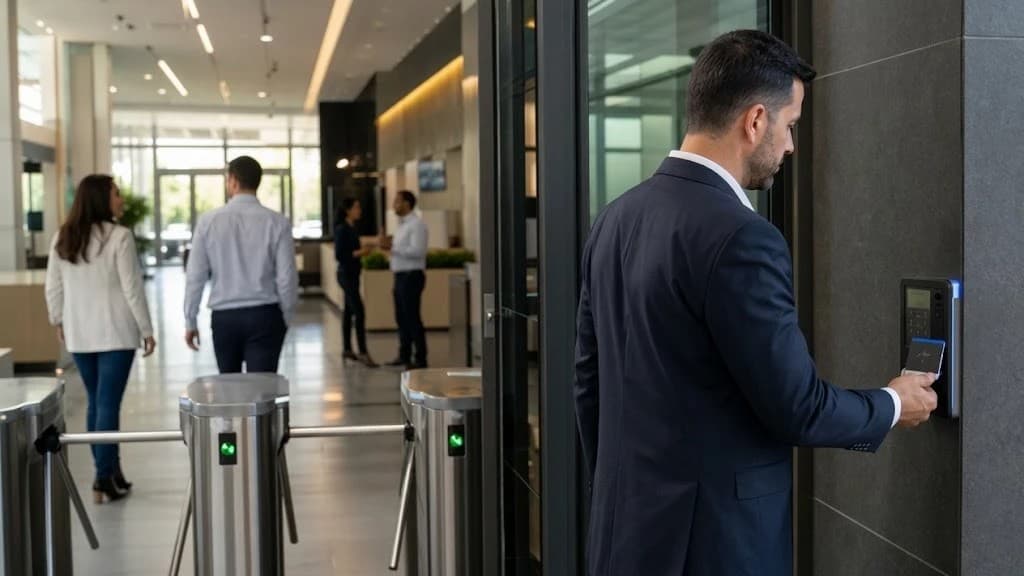
An access control system changes the question. It is no longer about who has a key, but about who is allowed into each area and at what times. That permission is granted, changed and revoked from a single place, and every entry is logged.
Problems we solve
Copied keys
Nobody knows how many copies exist or who has them. Changing the lock is the only way out, and the keys have to be handed out all over again.
Former employees who still get in
The person left the company, but their key or code still works. Nobody remembered to ask for it back.
No record when something goes missing
Stock or equipment disappears and there is no way to know who entered that room or when.
Doors left open
A door wedged open or not properly closed cancels out everything else, and nobody notices until the next day.
The same access for everything
The warehouse and the server room open with the same key or code as the front desk.
Uncontrolled visitors
Suppliers and visitors move around the building with no record of where they went.
How a controlled door works
There is more behind each door than a reader. The reader only reads the credential; the controller makes the decision: it knows the profiles and schedules, opens the lock and stores the event. The door sensor tells it whether the door actually opened, whether it closed, or whether someone forced it.
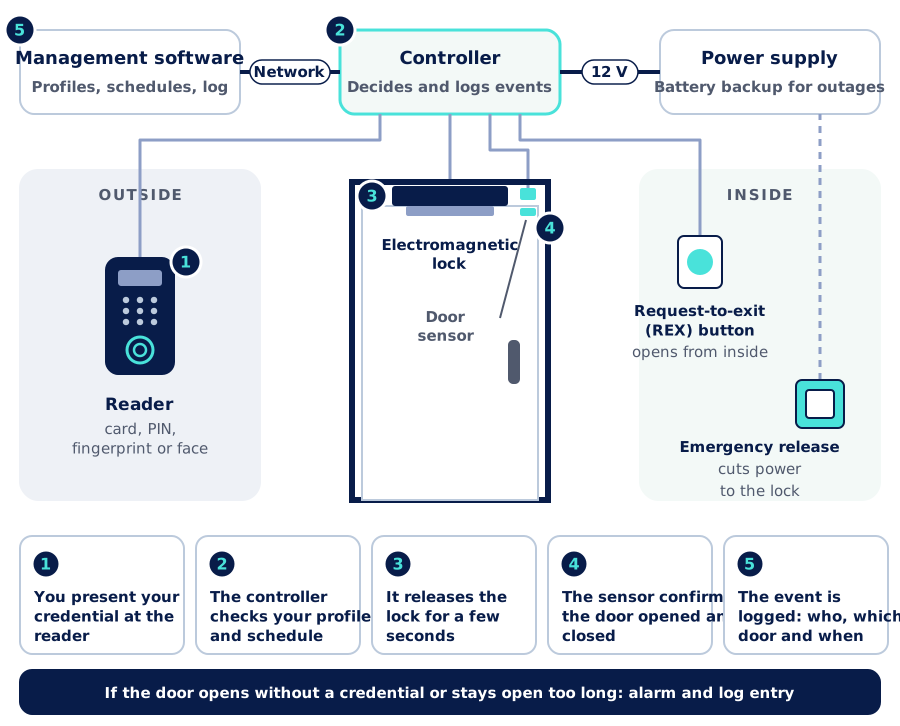
The choice of lock depends on the door. An electromagnetic lock holds the door shut while it is powered and releases it when power is cut: that is why it should run on a battery-backed power supply, so a power outage does not leave the entrance open. An electric strike or bolt can work the other way around and stay locked without power. Each option has its place, and the decision is made with both security and evacuation in mind.
Safe egress: a non-negotiable design criterion
Access control has to stop people from getting in, never from getting out. At every door we check:
- Free egress from inside. Request-to-exit (REX) button, handle or panic bar, depending on how the door is used and how many people use it to evacuate.
- Emergency release. A device next to the door that cuts power to the lock directly, without depending on the controller or the software.
- Integration with the fire system. When there is a fire alarm, the doors on evacuation routes release on their own.
- Applicable regulations. The design is coordinated with whoever defines the building's evacuation routes and with the applicable regulations.
On evacuation routes, we use locks that release when power is cut or that always allow mechanical egress from inside.
Card, PIN, fingerprint or face
There is no single best credential. Each one balances security and convenience differently, and several usually coexist in the same building.
| Credential | Security | Convenience | When it fits |
|---|---|---|---|
| Proximity card or fob | Medium: it can be lent or lost. 125 kHz cards are easy to copy; 13.56 MHz cards with modern encryption (AES) and their own keys are much more secure | High: just tap it on the reader | Many users, high turnover, temporary cards for visitors |
| PIN (numeric code) | Low: it gets shared or someone sees it typed | Medium: it has to be remembered | As a second factor or on low-risk doors |
| Fingerprint | High: it cannot be lent or lost | High, although it can fail with wet, dirty or worn fingers | Offices and warehouses with stable staff |
| Face recognition | High: it cannot be lent and needs no contact | Very high: touch-free, even with your hands full | High-traffic entrances, time and attendance, areas where hygiene matters |
General comparison. Critical areas use two-factor authentication, such as card and fingerprint, or face and PIN. Biometric data is personal data that requires special protection: work out with your legal team how people are informed and how the data is safeguarded.
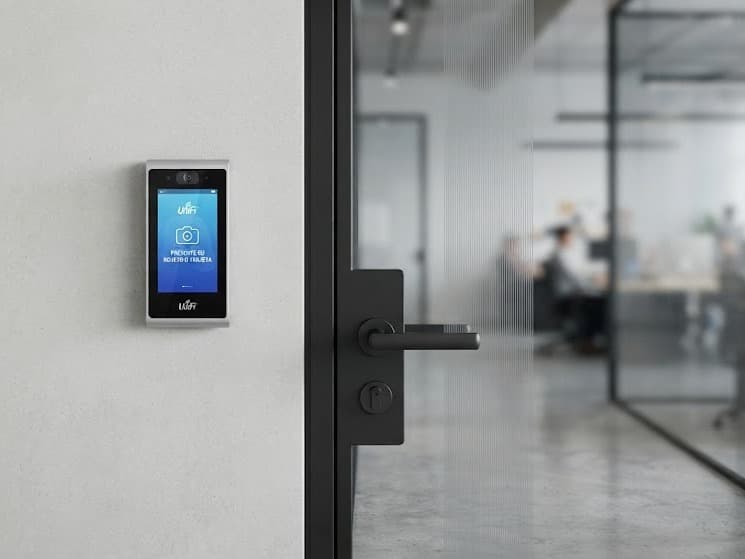
A reader people use without thinking
Good access control goes unnoticed: the reader sits where a hand or a face naturally reaches, responds quickly and does not create queues at the morning rush. That is why we place each reader based on how people move, with good lighting for face recognition and protected from rain or direct sun when it is outdoors.
Profiles by area and schedule
The foundation of good access control is not the reader but the permission matrix: which groups of people enter each area and at what times. It is defined once, together with the people who know the operation, and from then on each new person simply gets the profile that fits their role.
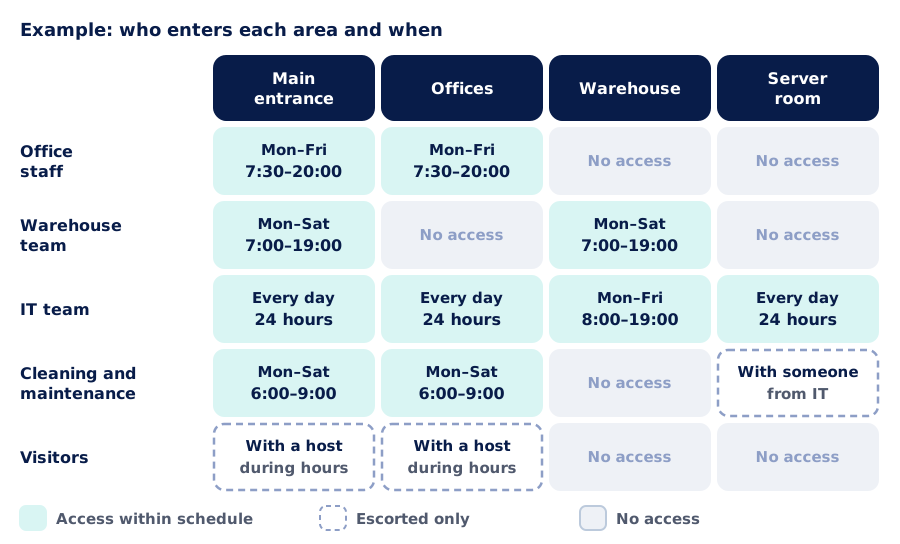
That way the server room no longer has the same access as the front desk, and the warehouse only opens for the people who work there, during their shift. Visitors are handled with the same scheme: a temporary credential, valid only for certain doors and only for that day.
The life cycle of every credential is managed in one place:
Onboarding
Added with a profile
Credential
Card, fingerprint or face
Daily use
Every entry logged
Role change
The profile is adjusted
Departure
Revoked at every door at once
Integrated with cameras and alarms
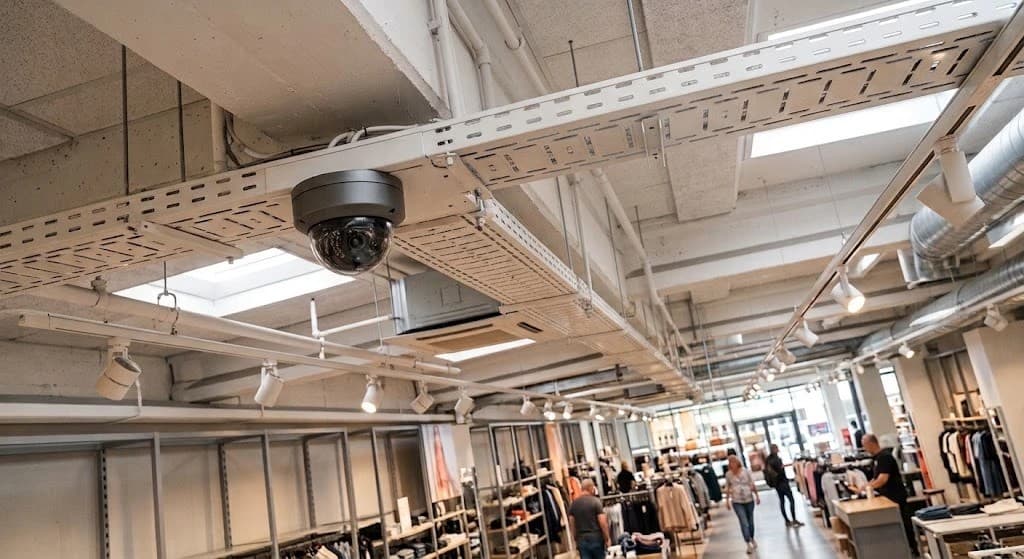
Access control delivers far more when it talks to the rest of your security. If a door is forced or left open, the event can bring up the camera that watches it and bookmark that moment in the footage. If the last person out locks up with their credential, the intrusion system can arm itself. We explain it in detail in Connected cameras and access control and in How to design a CCTV system that works when you need it.
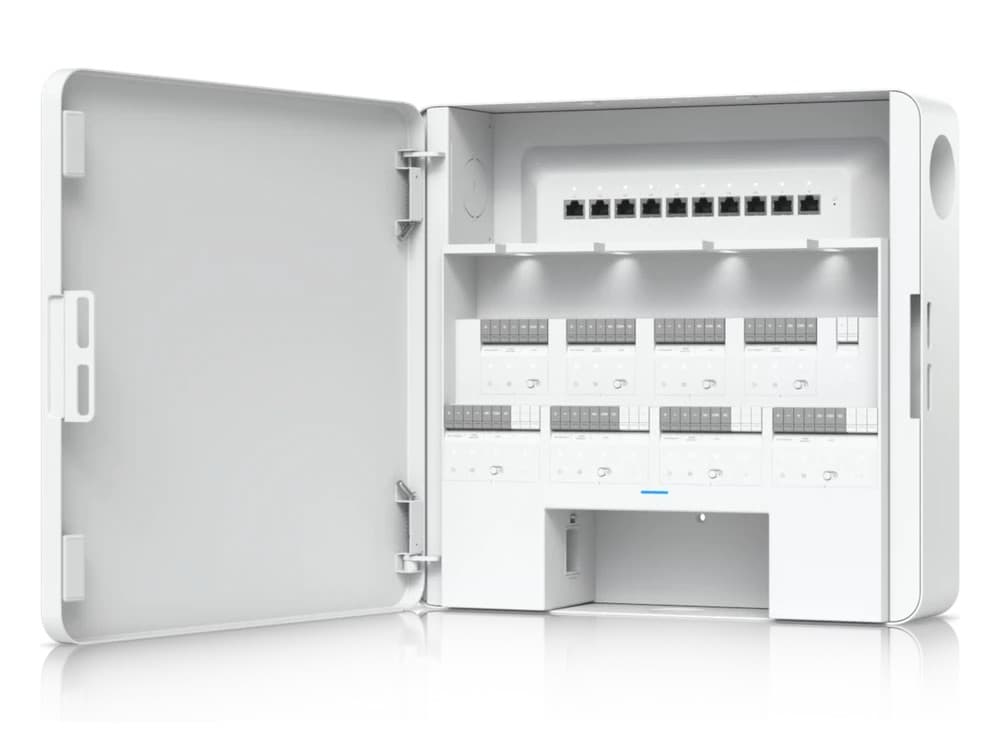
What you do not see is designed too
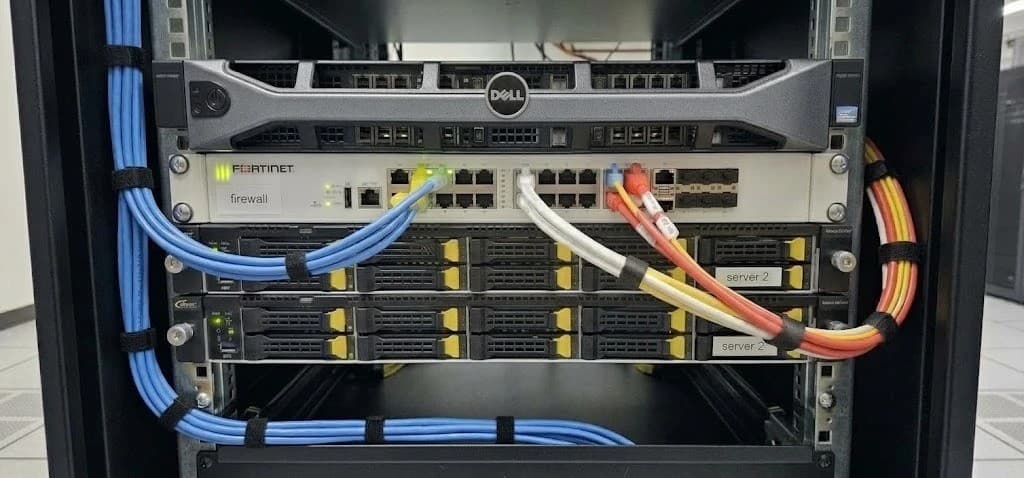
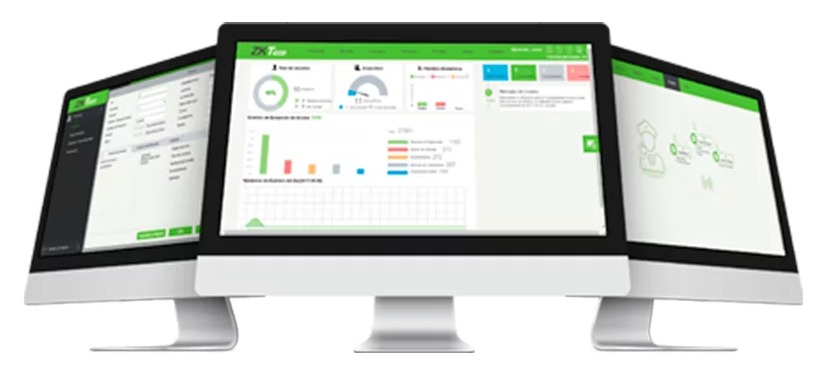
The controller sits on the secure side, inside a cabinet, with its power supply and battery. Each door arrives with labeled cabling, and the controller connects to the company network, kept apart from the office computers. We work with generic solutions and with well-known brands such as ZKTeco, Hikvision and Ubiquiti, among others: readers, biometric terminals, controllers and software. We choose for each project and integrate it with what is already installed.
What changes day to day
| With keys | With access control | |
|---|---|---|
| Who can get in | Whoever has a copy | Whoever has the profile for that area and time |
| When someone leaves | Ask for the key back or change the lock | Revoked at once from the software |
| If something goes missing | No record | Who went in, through which door and when |
| Door left open or forced | Nobody finds out | Alarm and logged event |
| Sensitive areas | The same master key | Separate profiles and two-factor authentication if required |
| Visitors | Sign-in book at the front desk | Temporary credential for certain doors |
General comparison between two ways of controlling access; it does not refer to any specific installation.
Our process
- 1
Assessment and survey
We survey every door: leaf and frame type, people flow, evacuation routes, sensitive areas and what is already installed.
- 2
Design
Lock and credential for each door, permission matrix, cabling and network, backup power and integration with cameras, alarms and the fire system.
- 3
Phased implementation
We install door by door, in coordination with operations, so nobody is ever unable to get in or out.
- 4
Configuration and testing
We load profiles and schedules, enroll people and test every door: opening, door-held-open alarm, power cut and emergency release.
- 5
Documentation and training
Door layout, delivered configuration and training for whoever will manage user enrollment, removal and reports.
- 6
Support
Help when profiles change, doors are added or you need to review an event.
Further reading
- Practical Security: Passwords, Hashes & Tokens (AISCNET Learning): what makes a password strong.
- PoE Without Surprises (AISCNET Learning): how to power readers and terminals over the network cable.
- PoE budget calculator (AISCNET Learning): how much power the switch needs.
- How to design a CCTV system that works when you need it: DORI criteria, retention and storage.
- Connected cameras and access control: how to keep physical security from opening a door into your network.
- Low-voltage systems for a store fit-out: network, CCTV, access control, intrusion and PA in a single project.
Tell us what you need through our contact form or learn more about our security service.
- Control de acceso
- Biometría
- Reconocimiento facial
- Tarjetas de proximidad
- Cerradura electromagnética
- Seguridad física
- ZKTeco
- Hikvision
- Ubiquiti