High-density WiFi for events, auditoriums and halls
When the hall fills up, WiFi does not fail for lack of signal but for lack of capacity. This is how we size and prepare networks for auditoriums, halls and events with hundreds of people online at once.
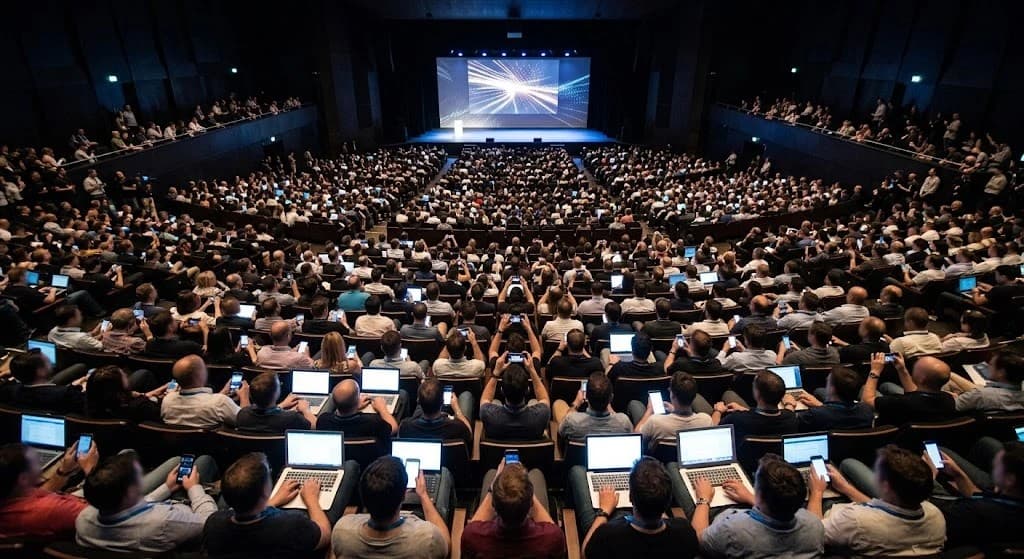
At the rehearsal, the hall WiFi works perfectly. Half an hour after the doors open, with 400 people seated, the live presentation freezes, the event app will not load and the stream drops. It is not bad luck: it is a network designed to cover a space, not to serve everyone who fits in it.
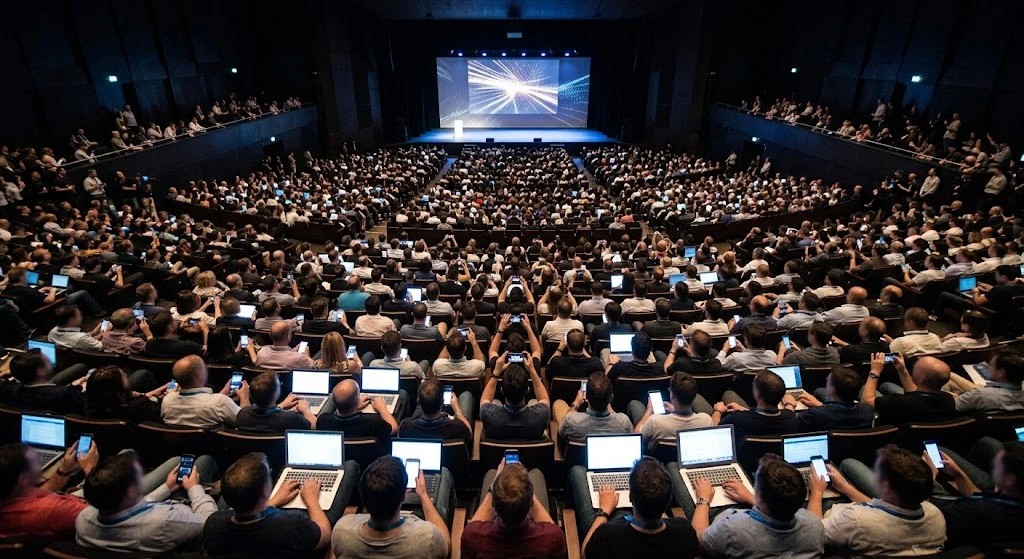
In school and university auditoriums, hotel ballrooms and event centers, the challenge is not getting the signal there. It is hundreds of devices sharing the same air at the same time, right at the most important hour of the day.
Why WiFi collapses when the hall fills up
Collapse at full capacity
Each radio serves every device in its cell in turns. With hundreds of people, turns get longer, collisions increase and the network slows down for everyone.
One slow device holds everyone back
Air is shared by time, not by speed. An old or distant device transmitting at a low rate occupies the channel far longer than a modern one, and the rest wait.
A saturated 2.4 GHz band
It has only three non-overlapping channels, shared with Bluetooth and neighboring networks. In a full hall it saturates almost immediately.
Events without a prepared network
Fairs, conferences or ceremonies set up in a few days with whatever network is there. Nobody sized the audience, the Internet link or who watches the network during the event.
Air is shared by time
In WiFi, devices on the same channel do not transmit at once: they take turns. What gets shared is airtime. And a device that transmits slowly needs much more time to send the same data.
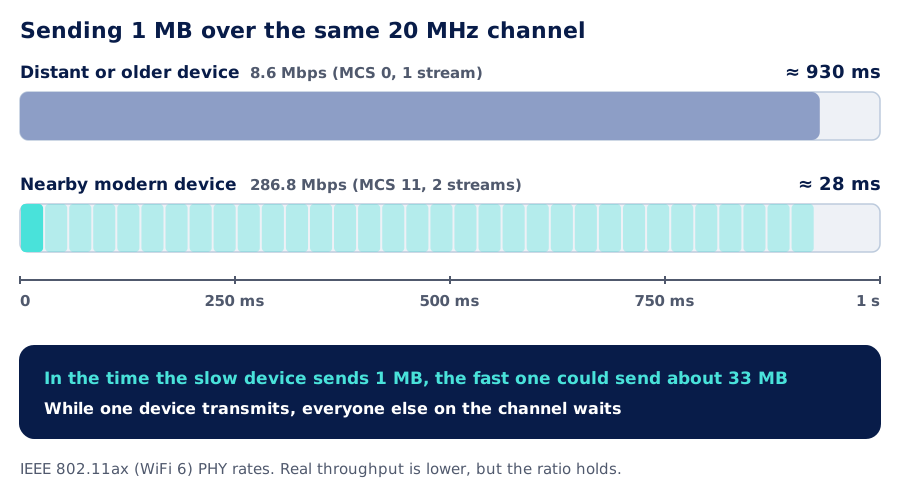
That is why high-density designs raise the minimum allowed data rate, so no device occupies the channel at very low rates, and steer capable devices to 5 GHz or, where regulations allow it and devices support it, to 6 GHz, both with many more channels than 2.4 GHz.
More access points, less power
Intuition says a couple of powerful access points are enough for a hall. The opposite happens: two access points at full power hear each other, end up sharing the channel and each one carries hundreds of clients. The solution is to split the hall into small cells: more access points, at low power, each on a different channel.
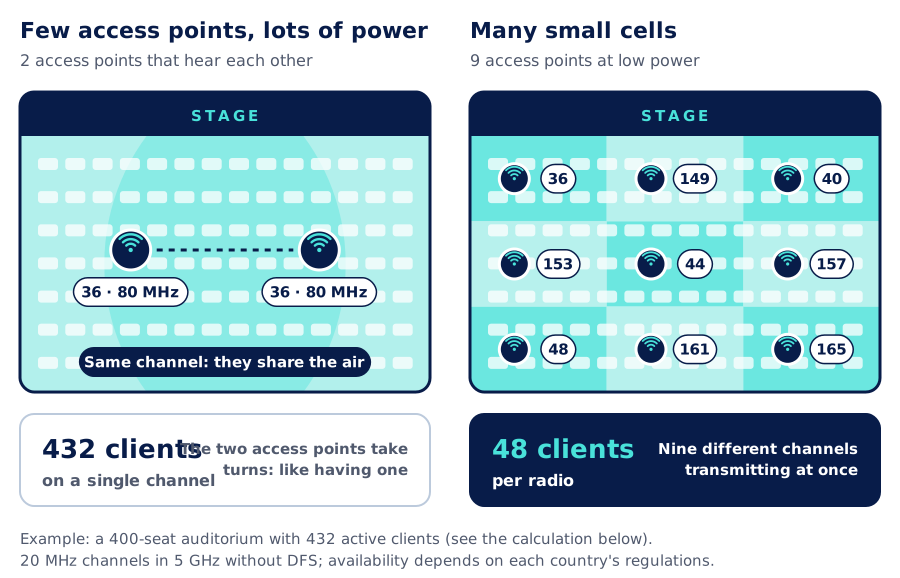
Behind that layout there are several design decisions:
- 20 MHz channels. In a full hall, many narrow channels outperform a few wide ones.
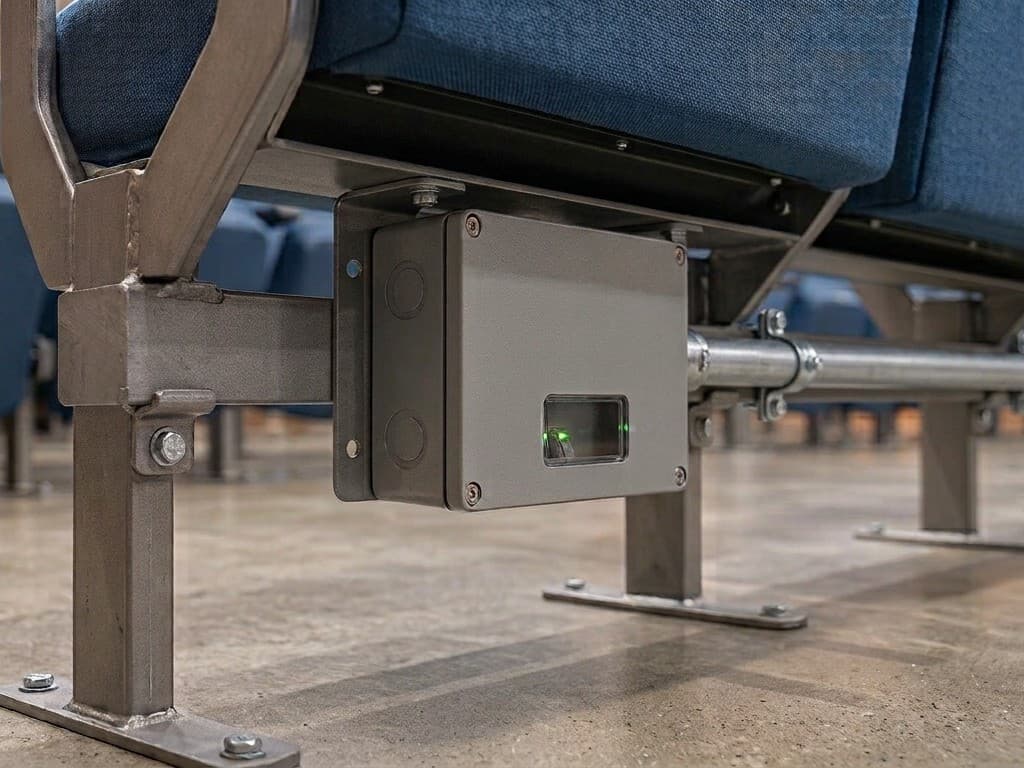
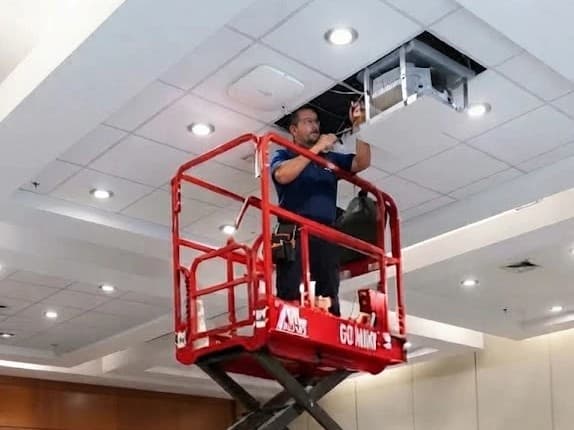
- Access points close to people. On the ceiling above the audience or under the seats: bodies attenuate the signal and help contain each cell.
- Directional antennas when needed. With high ceilings or in warehouses they focus the signal on the area each access point must serve.
- Few WiFi networks (SSIDs). Every extra network sends its own beacons and consumes airtime. Two or three are enough: audience, organizers and, if needed, press or exhibitors.
- High minimum data rate. Disabling the lowest rates makes every device connect to the nearest access point and keeps it from occupying the air at low speed.
- Separate networks and per-user bandwidth. The audience cannot see the organizers' devices and nobody hogs the Internet link.
Example: how many access points an auditorium needs
High density is sized by people, not by square meters. This is an example calculation for a 400-seat auditorium:
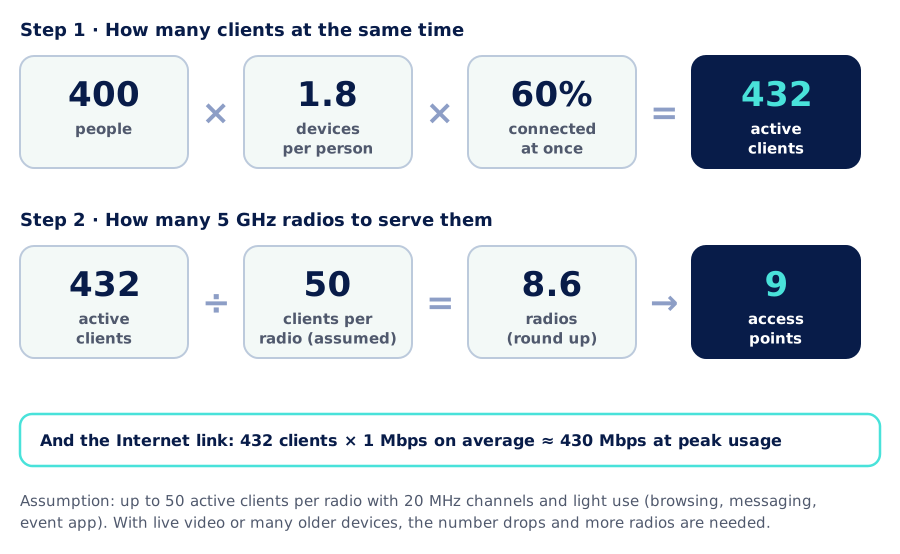
The assumption that weighs the most is how many active clients each radio can serve well. We use 50 for light use with 20 MHz channels. If the audience will watch live video, take an online exam or there are many older devices, that number drops and the number of access points goes up. That is why, before designing, we ask what people will do with the network.
And WiFi is only one part. The Internet link, the firewall and the switches that power the access points must also handle the peak.
How we prepare the network for an event
- 1
Assessment and requirements
Capacity, schedule and type of use: presentations, live streaming, voting or the event app. Also who needs a separate network and what infrastructure already exists.
- 2
Capacity design
We calculate clients and radios, and define the location of each access point, the channel plan, power levels, networks, bandwidth limits and the Internet link.
- 3
Implementation
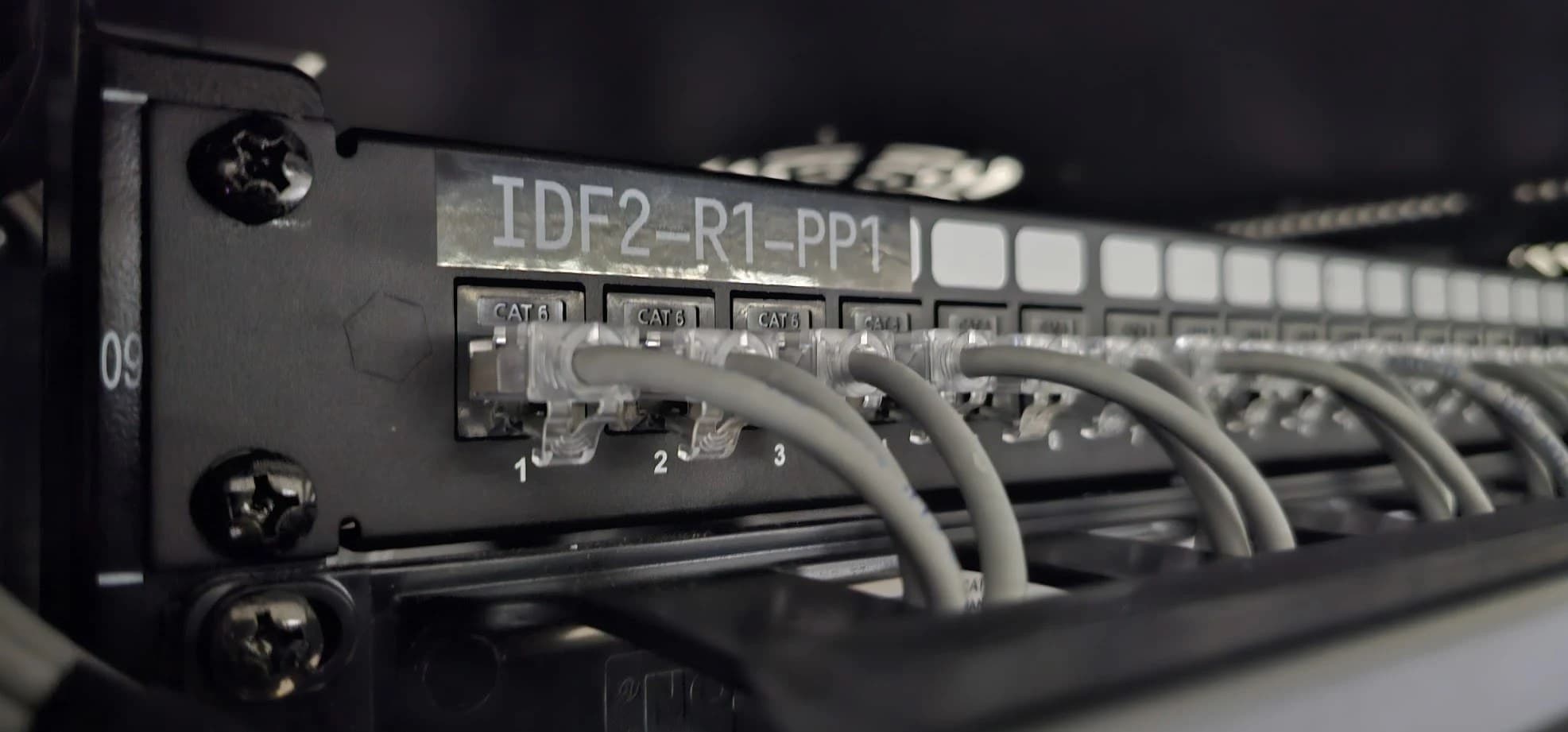
Permanent in auditoriums and halls used often; temporary for fairs and one-off events, with PoE switches and tidy, labeled cabling.
- 4
Load testing
Before the doors open we validate coverage and performance with a survey and with tests of many clients connected at once.
- 5
Monitoring during the event
We follow clients per access point, channel utilization and Internet link usage in real time, and adjust if anything drifts.
- 6
Support
At the end we hand you a report with the maximum number of concurrent users, consumption and lessons learned: the basis for sizing the next event better.
What changes in your hall
| Network designed for coverage | Network designed for capacity | |
|---|---|---|
| Access points | Few, at full power | More access points, at low power |
| Channels | Wide and repeated | Narrow and different in each cell |
| 2.4 GHz band | Open to everyone | Limited; capable devices go to 5 GHz |
| Minimum data rate | Factory default | High, so no air is wasted |
| With a full hall | Slow or down | Designed for that moment |
| During the event | Nobody watches the network | Live monitoring and adjustments |
General comparison; it does not refer to any specific installation.
Further reading
AISCNET Learning, our technical training platform, has free material on these topics:
- WiFi That Performs: Channels, Rates & Airtime: WiFi as a shared medium, explained step by step.
- WiFi Airtime & Capacity: check whether a cell saturates and the effect of a slow client.
- WiFi Channel Planner: detects overlapping channels and co-channel interference.
- WiFi PHY Rates (MCS): the data rate of each modulation by channel width and spatial streams.
And on this blog:
- WiFi site survey: why measure before you install: how we measure and validate a wireless network.
- WiFi for large hotels: rooms, halls and common areas in the same building.
- A well-segmented network: audience, organizers and devices, each on its own network.
Tell us what you need through our contact form or learn more about our connectivity and networks service.
- WiFi
- Alta densidad
- Eventos
- Auditorios
- Airtime
- Canales WiFi
- Educación