From a tangled rack to a telecom room that makes sense
We clean up, certify and document racks and telecom rooms with minimal downtime, in agreed maintenance windows, with backup power and cooling sized to your equipment.
Almost every company has one: the rack where the network grew a little at a time. A switch added for a new office, a five-meter cord because it was the one at hand, a router sitting on a shelf with its power adapter dangling. It works, until the day someone changes a cable and the phone system goes down, or the power goes out and the network goes with it.
Cleaning up that rack is not about looks. It is the difference between finding a fault in minutes or in a whole afternoon, and between a room that rides through a power outage and one that shuts down at the first flicker.
What we find when we open the rack
Changing one cable cuts another service
The cords are so tangled that pulling one drags its neighbors along. Every change is made with fear and, sometimes, after hours.
Faults that take hours to find
With no labels or records, finding which port the accounting printer is on means tracing the cable by hand.
A room that runs hot
Equipment in a storage room with no ventilation, or with an office air conditioner that is switched off on weekends.
No real backup power
The UPS sits on the floor, plugged into a household power strip, or nobody knows how long it lasts or when its batteries were last replaced.
Nobody knows what is connected
The knowledge lives in one person's head, or with a supplier who is long gone.
No room to grow
There are no free rack units or spare ports left, and every new device makes the mess worse.
Before and after: the same rack
A cleanup does not necessarily change the equipment: it changes how it is arranged, connected and identified. Each patch panel sits next to the switch it serves, with cords of the right length running through horizontal cable managers. Loose devices are mounted in the rack, and power comes from a PDU connected to the UPS.
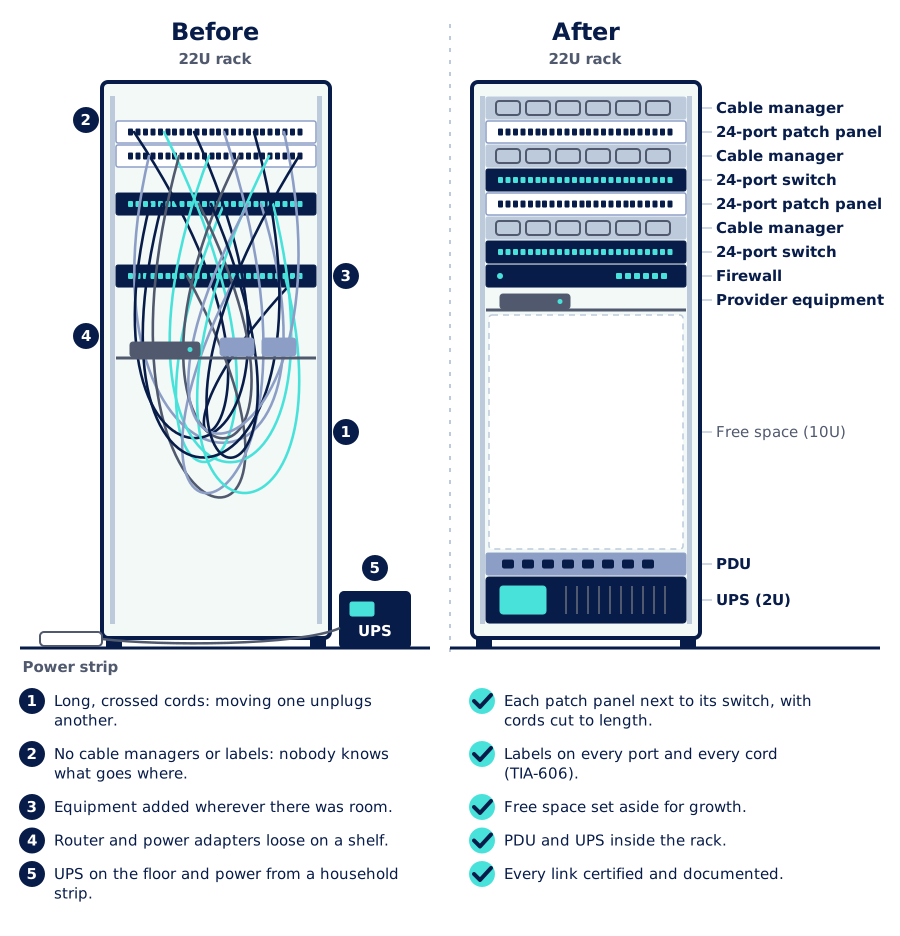
Three decisions make the biggest difference:
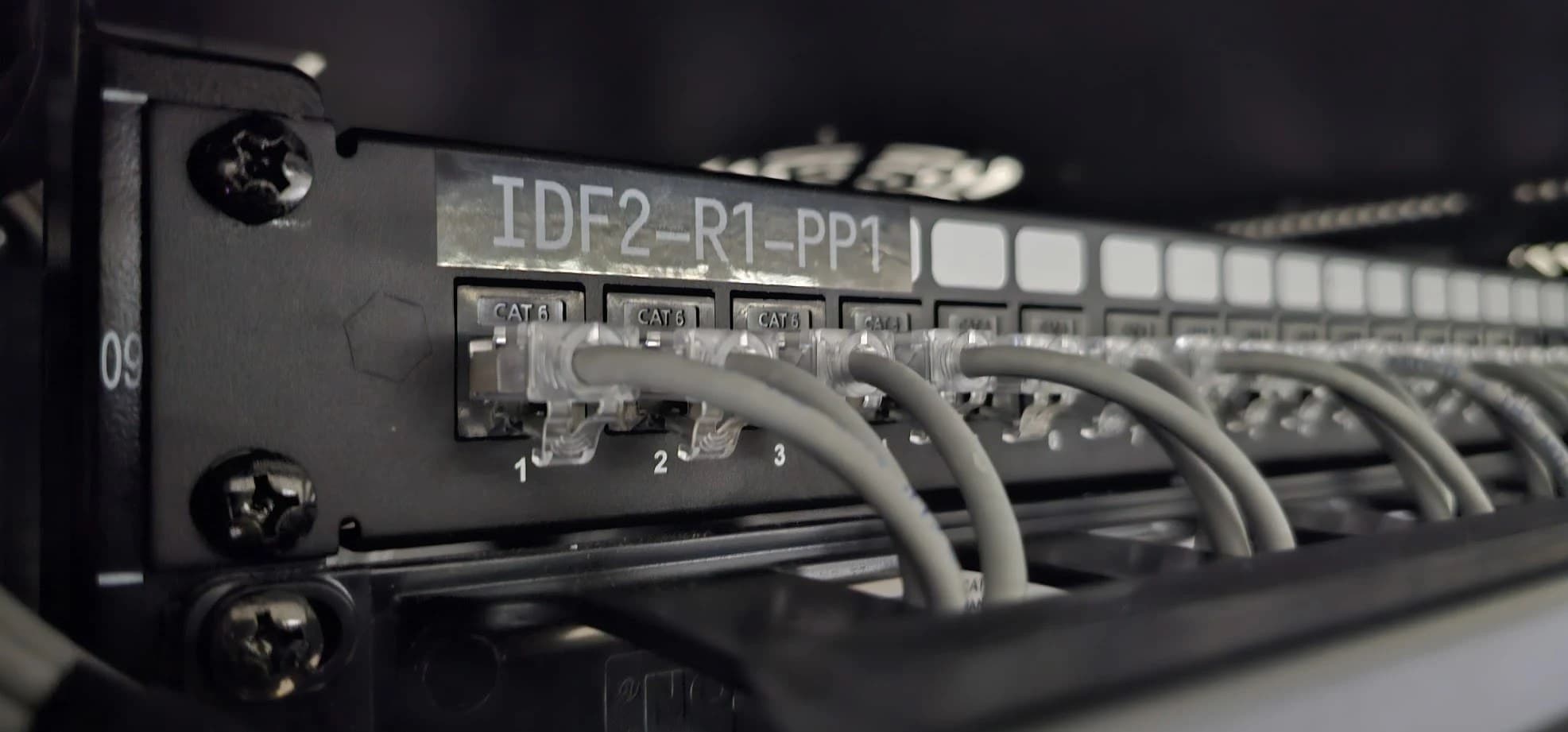
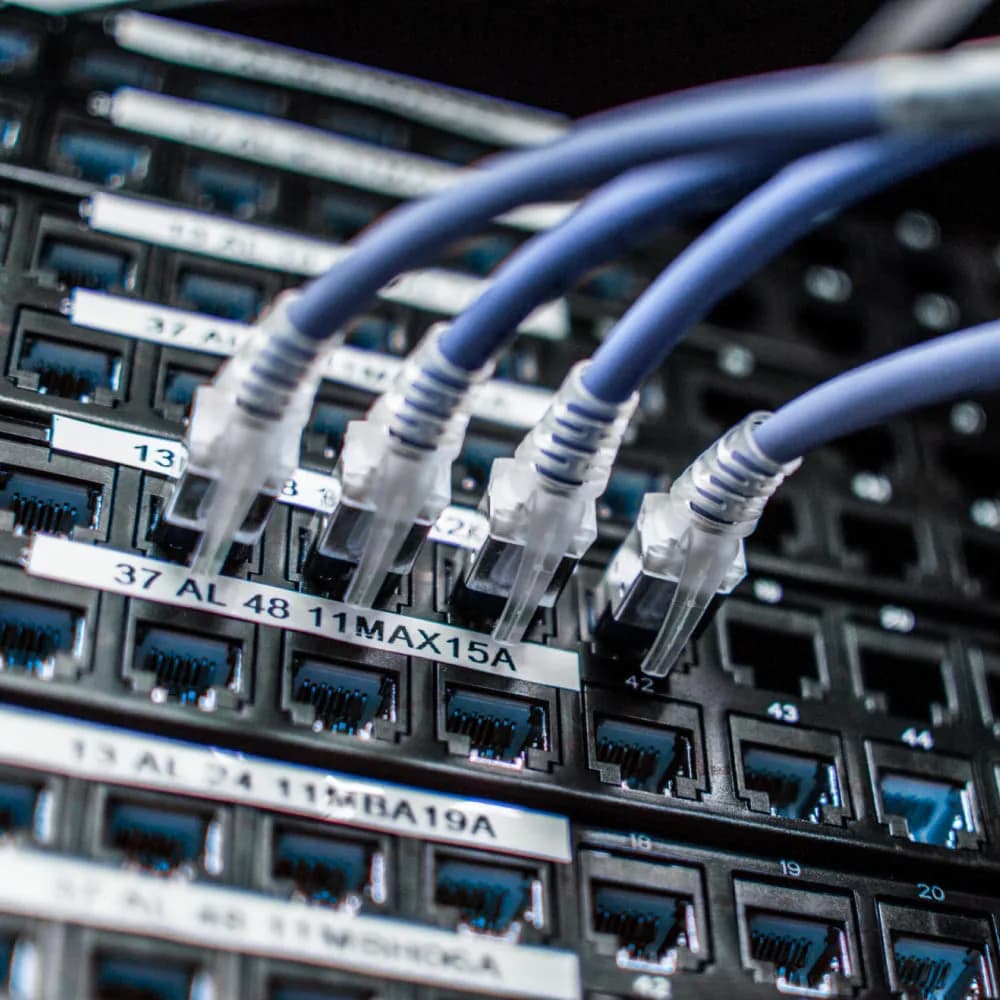
- Labels per TIA-606. Every patch panel port, every outlet and every cord carries a unique identifier, the same one that appears in the documentation. For example, 1A-B04 (floor 1, room A, patch panel B, port 04) reads the same on the outlet, on the patch panel port and in the port map.
- Cords cut to length and color coded. A 0.5 m cord between the patch panel and the switch does not tangle. Colors tell functions apart, for example data, cameras, telephony and links between switches.
- Free space on purpose. Leaving empty units and spare ports keeps the next device from being installed wherever it fits.
Anatomy of a telecom room
A tidy rack does not stay tidy for long in a room that does not support it. A telecom room, or a small data center, is a set of systems working together: how cables come in, where power comes from, how heat is removed and how people and equipment are protected.
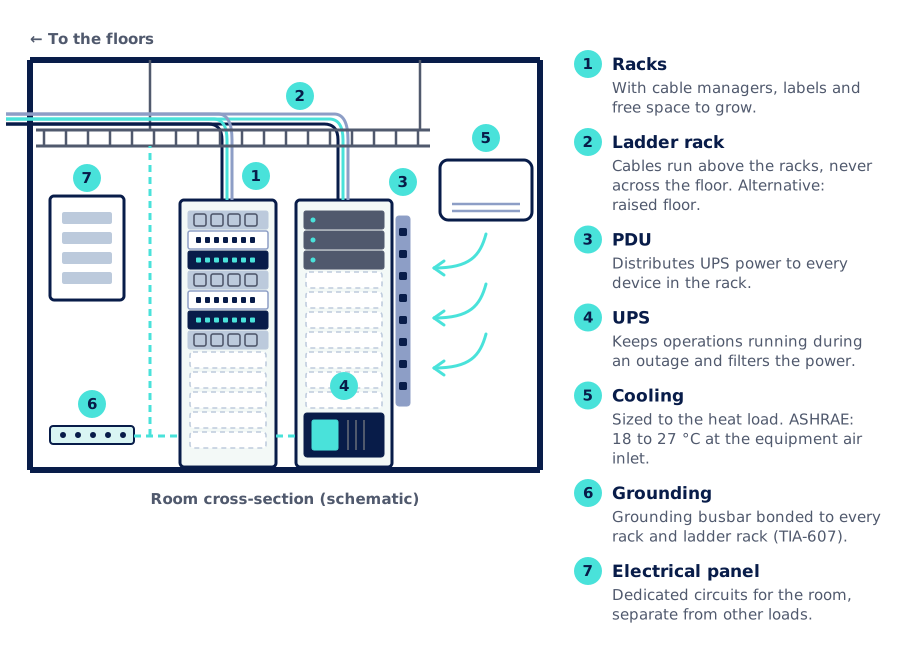
Heat deserves a special mention. Practically all the power the equipment draws turns into heat: a rack drawing 400 W gives off about 1,365 BTU/h (1 W ≈ 3.412 BTU/h). The cooling has to remove that heat, plus whatever the room, the lighting and the people add, and it has to run all year round, not just during office hours.
Example: how long the UPS really lasts
It is the question almost nobody asks until the first long outage. UPS runtime does not drop in proportion to the load: when more equipment is connected, the batteries deliver less of their rated capacity. That is why adding 50% more load does not take away a third of the runtime, but close to 40%.
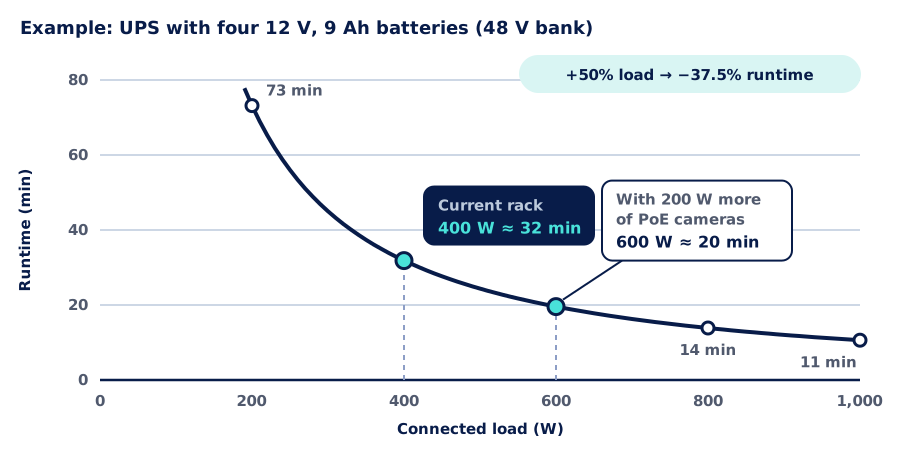
In the example, a 400 W rack has about 32 minutes of backup. If 200 W of PoE cameras are added later, runtime falls to about 20 minutes, even though the UPS still has plenty of capacity to power the load. That is why we start by defining the goal: shutting the equipment down in an orderly way, keeping operations running until a generator kicks in, or riding through the outages that are common in the area. The UPS and its batteries are sized to that goal, and their replacement is scheduled.
How we clean up with minimal downtime
The challenge is not technical, it is continuity: the network stays in use while it is being cleaned up. That is why we work in phases, with minimal downtime, in maintenance windows agreed with you.
- 1
Assessment and survey
We photograph the rack and the room, measure temperature and power draw, and check power, grounding and pathways. We trace every cord end to end and build the port map: which outlet goes to which patch panel, which switch and which device.
- 2
Design and maintenance windows
We define the final rack layout and agree with you on the lowest-impact time slots and the order of work. Each window has a limited scope and a plan to roll back if something does not come back up.
- 3
Implementation
We work on one patch panel or one switch at a time: we mount cable managers, replace cords with ones cut to length, move loose devices into the rack and install the PDU and UPS. At the end of each window we check that everything responds.
- 4
Labeling
Every port, outlet and cord gets its TIA-606 label, the same one that appears in the port map. Critical services are flagged.
- 5
Certification and documentation
We certify the links with TREND Networks certifiers. Links that fail are re-terminated or replaced. We hand over the diagram of every rack, the port map, as-built drawings, certification reports and photos.
- 6
Support
With the room documented, any technician can understand it. If you need us, we stay in charge of changes and of UPS and battery maintenance, and update the documentation every time we step in.
What changes day to day
| Untidy room | Tidy, documented room | |
|---|---|---|
| Changing a cord | Risk of unplugging another service | Changed without touching the rest |
| Finding a fault | Tracing the cable by hand | Label → port map → device |
| Power outage | The network goes down with the lights | Backup with calculated runtime |
| Temperature | Depends on the office air conditioning | Cooling sized to the heat load |
| Growth | No free units or ports | Space set aside and documented |
| Knowledge | In one person's head | Diagrams, port map and certification |
General comparison between two states of the same room; it does not refer to any specific installation.
On site
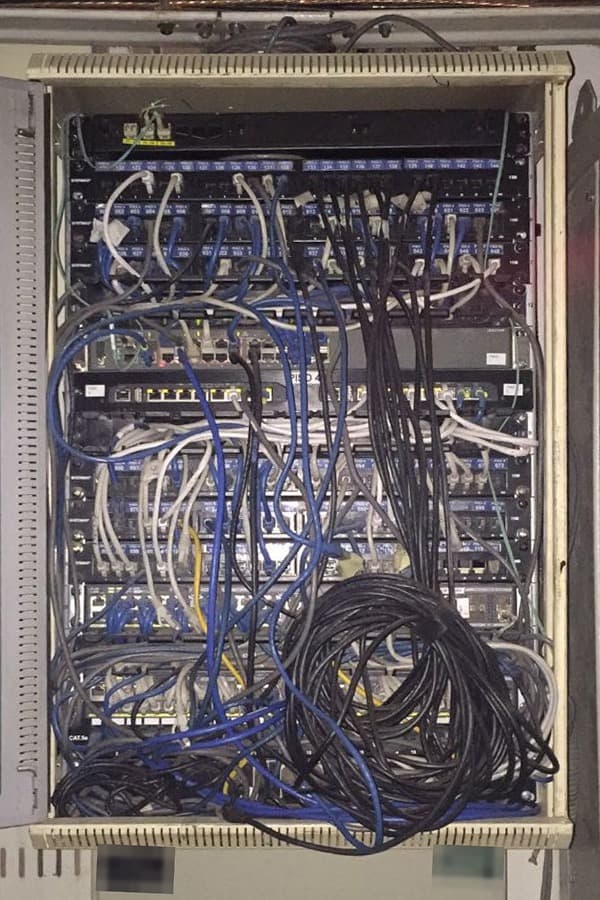
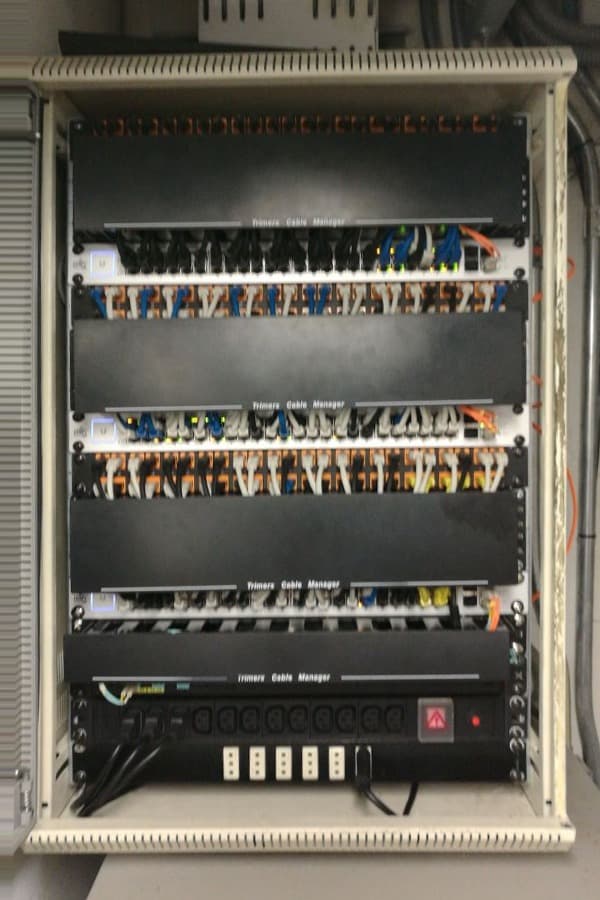
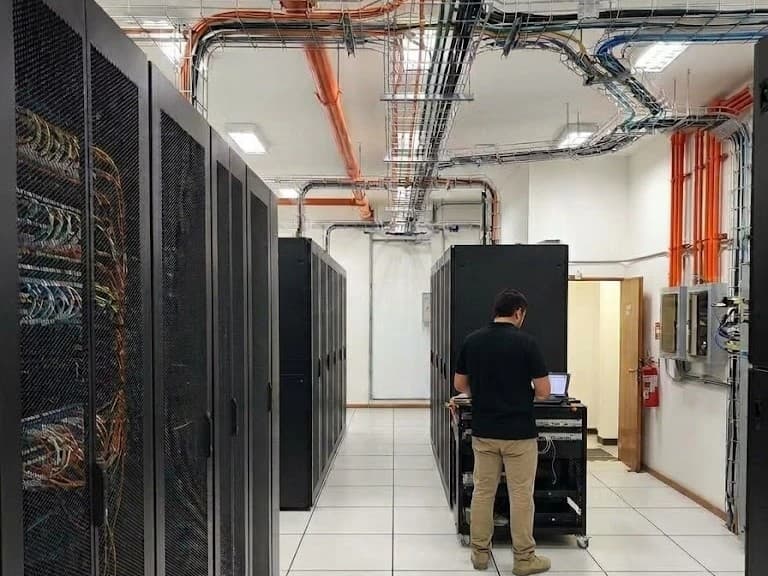
A room any technician can understand
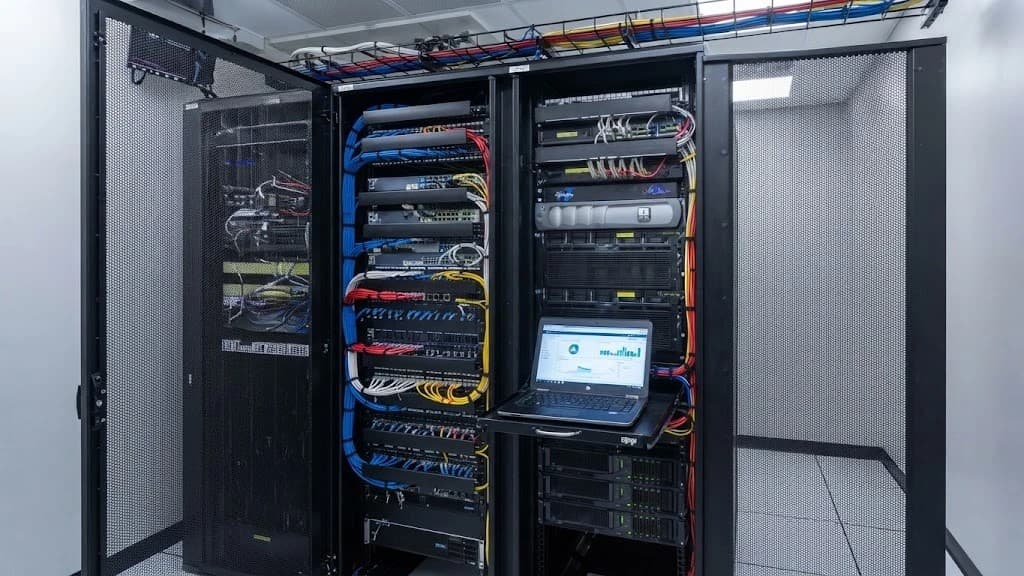
Labeled racks, cables on the ladder rack, backed-up power and cooling sized to the load. What used to depend on one person's memory now lives in the room's documentation. We are vendor agnostic: we work with what is already installed and, when something has to be replaced or added, we choose the brand that fits the project.
Further reading
AISCNET Learning, our technical training platform, has free articles and calculators on these topics:
- A Datacenter in One Room: what a small telecom room needs.
- Rack Power: UPS, Batteries & Generator: how long your UPS really lasts.
- Jacks, Patch Panels & Face Plates: Copper Termination: how the rack end is built.
- Rack capacity: how many units your equipment takes up.
- UPS runtime: how long the backup lasts with your load.
- Heat load: how much heat the room gives off.
- Cooling airflow: the airflow the room needs.
- Patch panels: how many panels and cable managers you need.
And on this blog:
- Cabling certification: what it means and what to require when your network is handed over, the step that closes any cleanup.
- A well-segmented network: operations, guests, cameras and IoT, each in its place, the logical order that goes with the physical one.
- Category 6A or Category 6 cabling: when the upgrade pays off, if you are replacing part of the cabling.
Does your rack look like the one on the left?
The initial assessment is free. Tell us what you need through our contact form or learn more about our network infrastructure service.
- Sala técnica
- Rack
- Ordenamiento de cableado
- UPS
- Datacenter
- Certificación
- TIA-606
- Climatización