Category 6A or Category 6 cabling: when the upgrade pays off
Speed, distance, PoE and space: what a network gains with Cat 6A cabling, how far Cat 6 goes and which projects justify the upgrade.
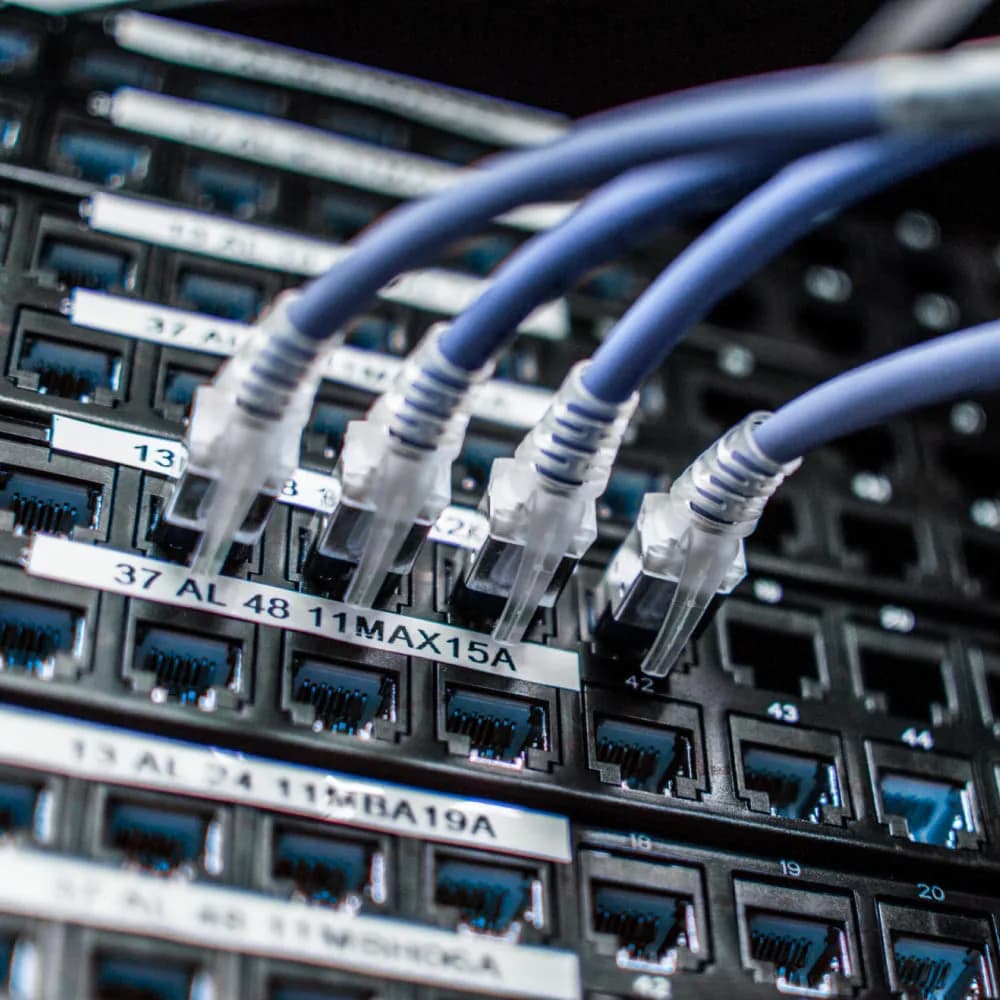
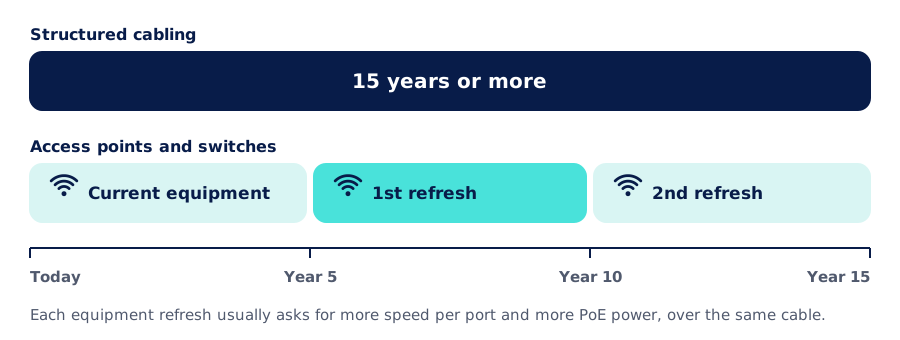
Cabling is the longest-lived part of a network and the hardest to replace: it runs inside walls, ceilings and trays, and it is expected to work for 15 years or more. Over that time, switches and access points are replaced several times. So when choosing the cable category, the question is not only what the network needs today, but what the equipment connected in five or ten years will ask for.
Category 6 and Category 6A, side by side
| Category 6 | Category 6A | |
|---|---|---|
| Specified bandwidth | 250 MHz | 500 MHz |
| 1 Gbps (1000BASE-T) | Up to 100 m | Up to 100 m |
| 2.5 and 5 Gbps (2.5G/5GBASE-T) | Up to 100 m | Up to 100 m |
| 10 Gbps (10GBASE-T) | 37 to 55 m, not guaranteed | Up to 100 m |
| Alien crosstalk (noise from nearby cables) | Not specified | Specified by the standard |
| Typical unshielded diameter | ≈ 6 mm | ≈ 7 to 8 mm |
| High-power PoE in large bundles | Runs hotter | Dissipates heat better |
Full channel distances: up to 90 m of fixed cable plus 10 m of patch cords. Speeds per IEEE 802.3; categories per ANSI/TIA-568.2-D and ISO/IEC 11801. Approximate diameters: they vary by manufacturer.
What a network gains with Cat 6A
10 Gbps over the full 100 meters
It is the only general-purpose category that guarantees 10 Gbps over the full length of a network outlet. With Cat 6 that speed is only reached on short runs.
Protection against noise from nearby cables
Cat 6A controls alien crosstalk: the interference that leaks in from the other cables in the same bundle. That is exactly what keeps Cat 6 from reaching 10 Gbps over long distances.
High-power PoE with less heat
Access points, cameras, displays and lighting are powered over the same cable, up to 90 W per port. A thicker cable heats up less when dozens are bundled in a tray.
Headroom for future refreshes
It supports the speed of current WiFi 7 access points and leaves headroom for the equipment that will come during the life of the cabling.
Speed and distance: where Cat 6 falls short
Ethernet over copper allows at most 100 meters per channel: up to 90 m of fixed cable between the rack and the outlet, plus up to 10 m of patch cords at both ends. Up to 5 Gbps, Cat 6 and Cat 6A perform the same over that distance. The difference shows at 10 Gbps.
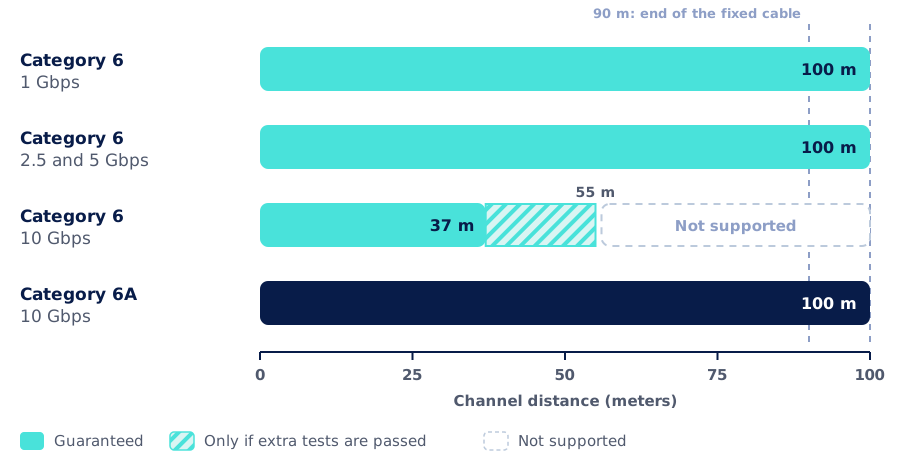
On Cat 6, 10 Gbps generally works up to about 37 m. Between 37 and 55 m it only works if the channel passes additional alien crosstalk tests (described in the TIA TSB-155 guideline), which are almost never done on site. Beyond 55 m it is not supported: the equipment falls back to a lower speed or the link becomes unstable. Cat 6A guarantees 10 Gbps over the full 100 m.
What about the intermediate speeds? The 2.5GBASE-T and 5GBASE-T standards (IEEE 802.3bz) were created precisely to make use of installed cabling: 2.5 Gbps works over 100 m even on Cat 5e, and 5 Gbps on Cat 6. For an access point with a 2.5 Gbps port, Cat 6 is enough. For one with a 10 Gbps port, it is not.
Above Cat 6A there is Category 8, which reaches 25 and 40 Gbps, but only up to 30 m: it is meant for connections inside a data center, not for building cabling.
Why Cat 6A is thicker
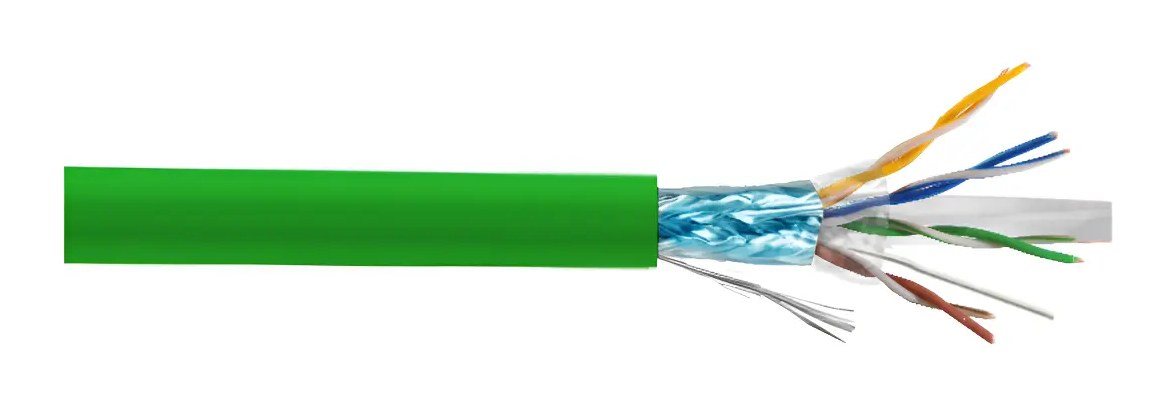
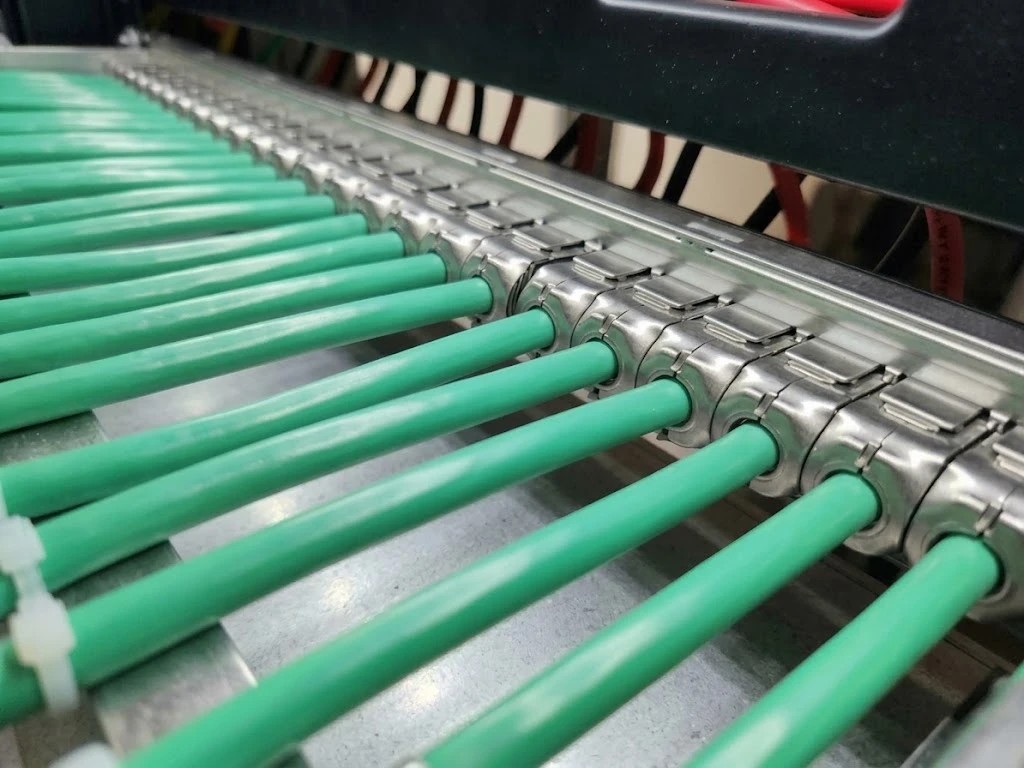
To control alien crosstalk, manufacturers space the pairs further apart, widen the jacket or add a metallic shield. The result is a thicker, heavier and stiffer cable.
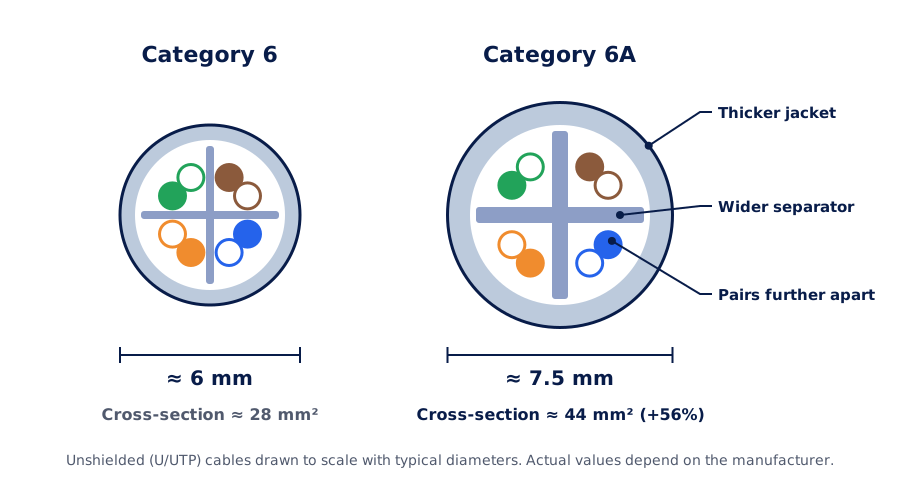
That has practical consequences on site:
- It takes more space. About a third fewer cables fit in the same conduit or tray. In buildings with full pathways, this can require additional works.
- It needs more care to install. Its bend radius is larger and termination is more demanding: pairs must be untwisted as little as possible at each connector.
- Every component must be 6A. Cable, jacks, patch panel and patch cords. A single lower-category component brings the whole channel down to that category.
- There are unshielded and shielded versions. Shielded ones (F/UTP) are usually somewhat thinner, but they require proper grounding along the whole run.
PoE: the reason that matters most today
More and more devices are powered over the network cable itself: access points, cameras, phones, displays, access control and even lighting. The IEEE 802.3bt standard allows up to 90 W per port using all four pairs.
That current heats the cable, and in a bundle of dozens of cables the heat builds up. Higher temperature means more signal loss, which can reduce the usable distance. A thicker cable, usually with larger conductors, dissipates that heat better. That is why industry PoE guidelines (TIA TSB-184-A) recommend watching bundle sizes, and Cat 6A is the preferred option when a lot of power is involved.
When upgrading to Cat 6A really pays off
Cat 6A makes sense if…
There is WiFi 6E or WiFi 7
Latest-generation access points come with 5 and 10 Gbps ports. The TIA guideline for wireless networks (TSB-162-A) recommends Cat 6A, and two cables per access point.
It is a new building or a full renovation
When cabling from scratch, the cost difference is a fraction of the project, and the cabling will serve the building throughout its life.
There will be high-power PoE
PTZ cameras, displays, LED lighting or high-density access points, especially with many cables per tray.
10 Gbps over copper is needed
Servers, storage, video editing workstations or links between switches within the same room or floor.
Cat 6 is still enough if…
Workstations use 1 Gbps
Computers, IP phones and printers rarely need more. And at 2.5 or 5 Gbps, Cat 6 also works over 100 m.
You are extending a Cat 6 network that stays in service
Keeping the category simplifies administration. What makes no sense is mixing components of different categories in the same outlet.
The pathways have no room
In buildings with full conduits and trays, the larger diameter of 6A can require works that are not justified.
The installation is temporary
Offices leased for a few years or provisional installations.
What about cost?
Cat 6A cable and connectors cost more than Cat 6, and installation takes somewhat longer. But in a complete project the cable is only one part: pathways, labor, racks, certification and documentation also weigh in.
What does get expensive is replacing the cabling of a building in use: opening ceilings, coordinating schedules and working without stopping operations. Choosing the right category at the start costs less than fixing it later.
How we approach it at Aiscnet
- 1
Assessment
Which devices will connect today and at the next refresh: access points, cameras, PoE power and speeds.
- 2
Runs and pathways
Length of each run, available space in trays and conduits, and bundle sizes.
- 3
Category recommendation
Cat 6, Cat 6A or a mix, based on the actual use of each outlet and not by default.
- 4
Per-outlet certification
Every outlet is measured with a certification tester and delivered with its report, as-built documentation and the manufacturer warranty when the installed system includes one.
Learn more about our network infrastructure and structured cabling service.
- Cableado estructurado
- Categoría 6A
- Categoría 6
- 10GBASE-T
- PoE
- WiFi 7